6. Draw Modeling Tools
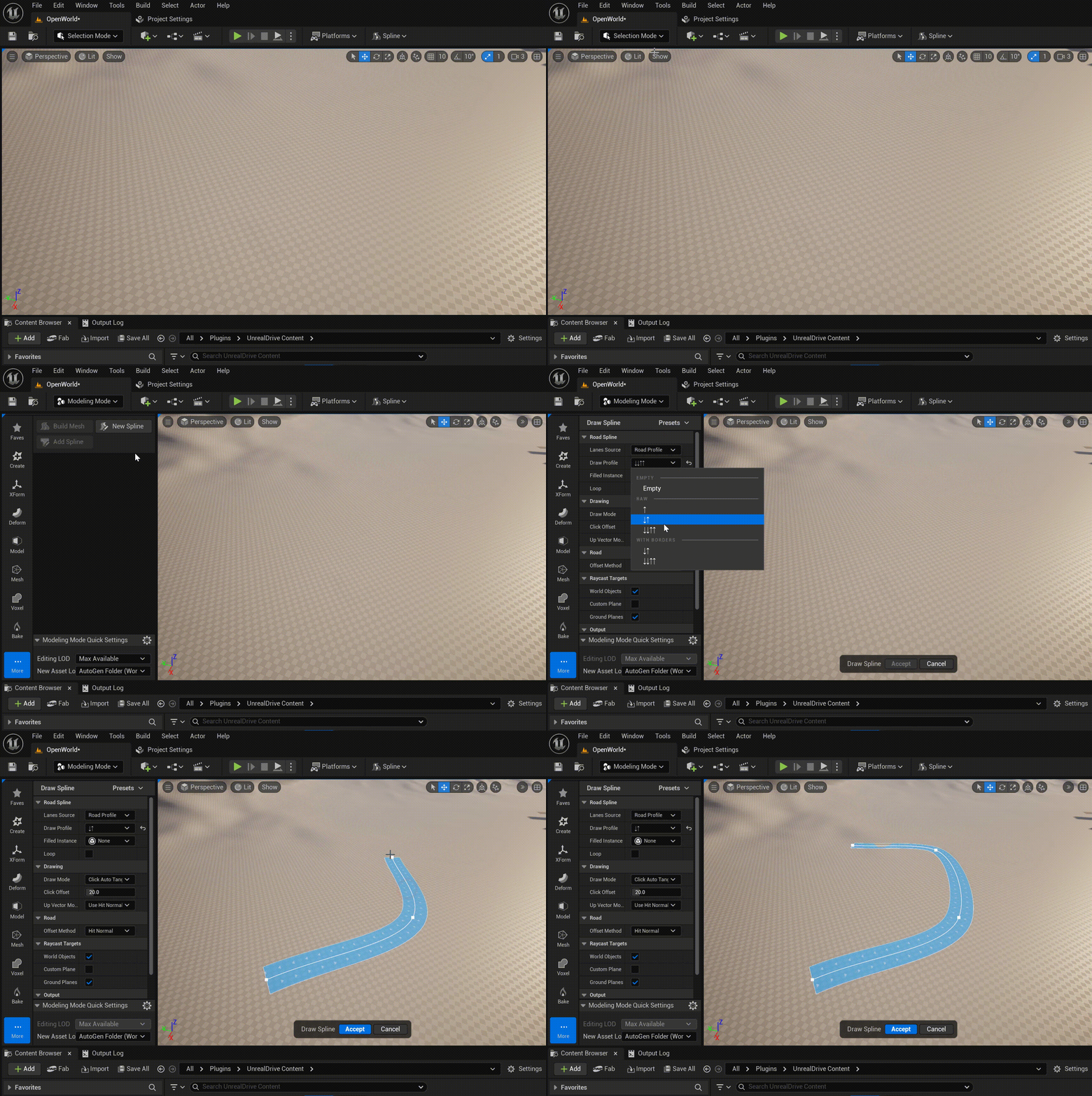
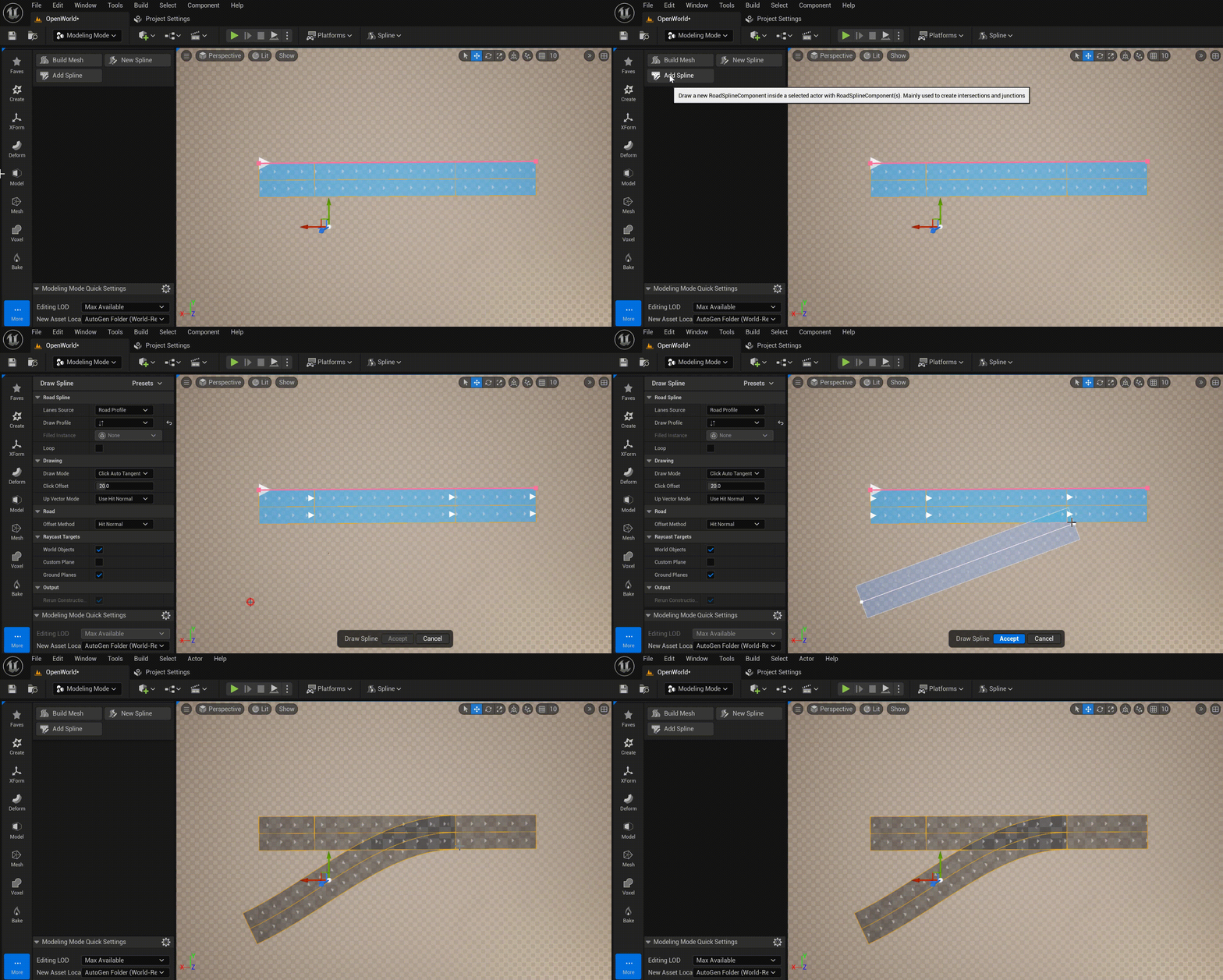
There are two Modeling Tools - New Spline and Add Spline, which allow to “draw” URoadSplineComponent in the usual way, as in popular 2D vector editors:
To access these tools, switch Editor Mode to Modeling Mode and select the Road toolset:
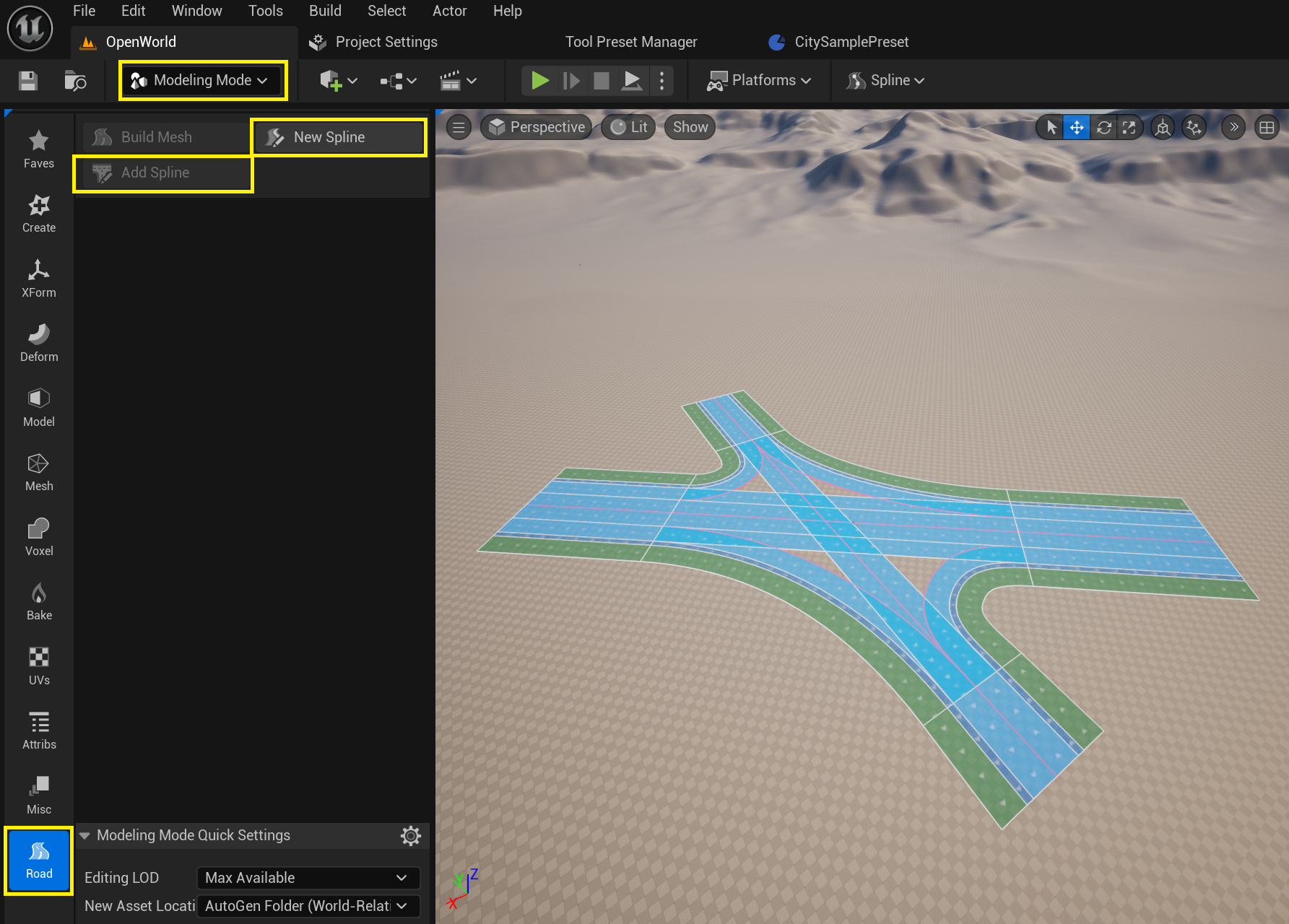
These two tools are identical, differing only in the need to create a new AActor:
New Spline - creates a new AActor and adds a new URoadSplineComponent to it.
Add Spline - adds a new URoadSplineComponent to the selected actor, which already has at least one URoadSplineComponent.
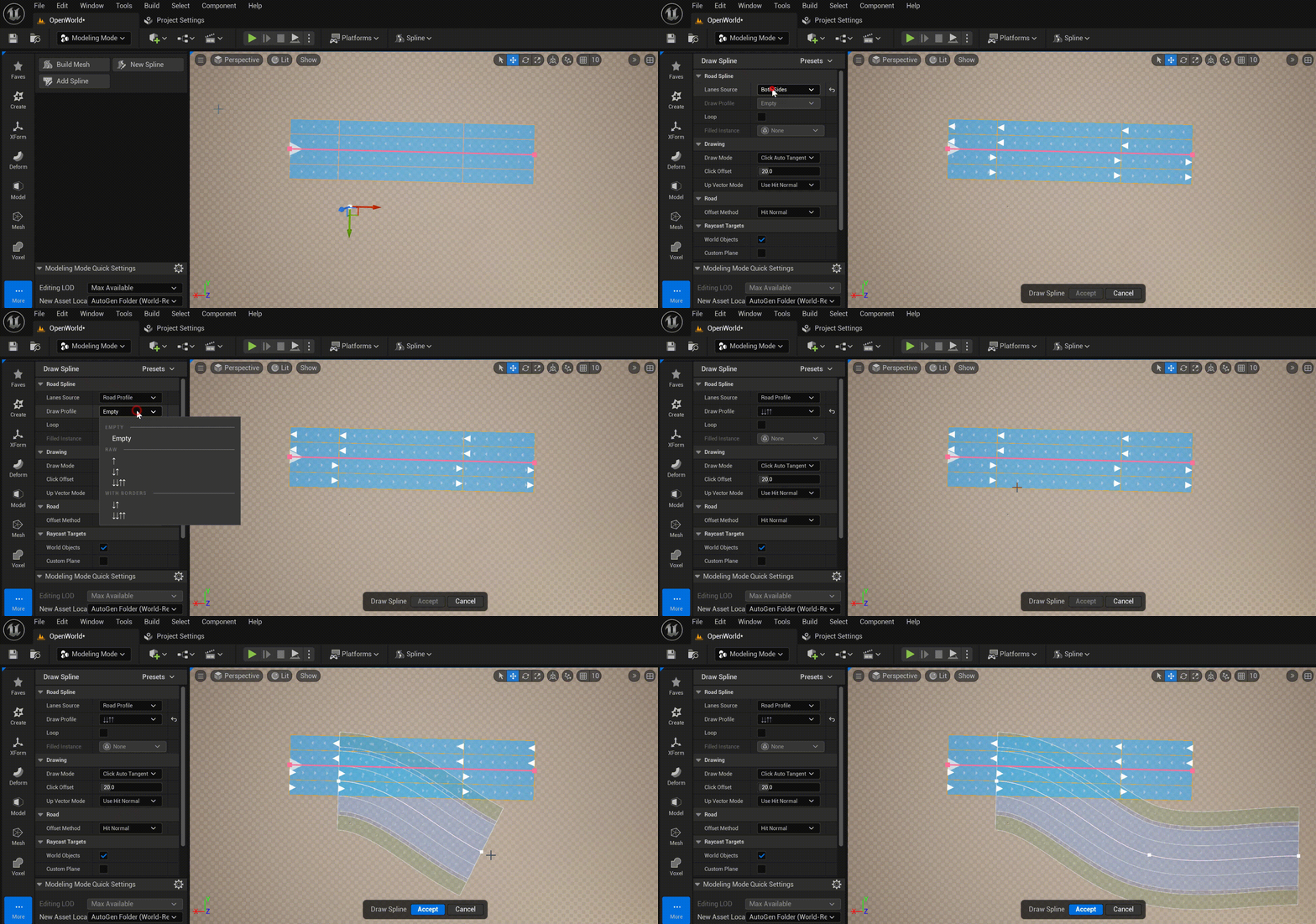
You can start drawing a spline with the Lane Successor Connection:
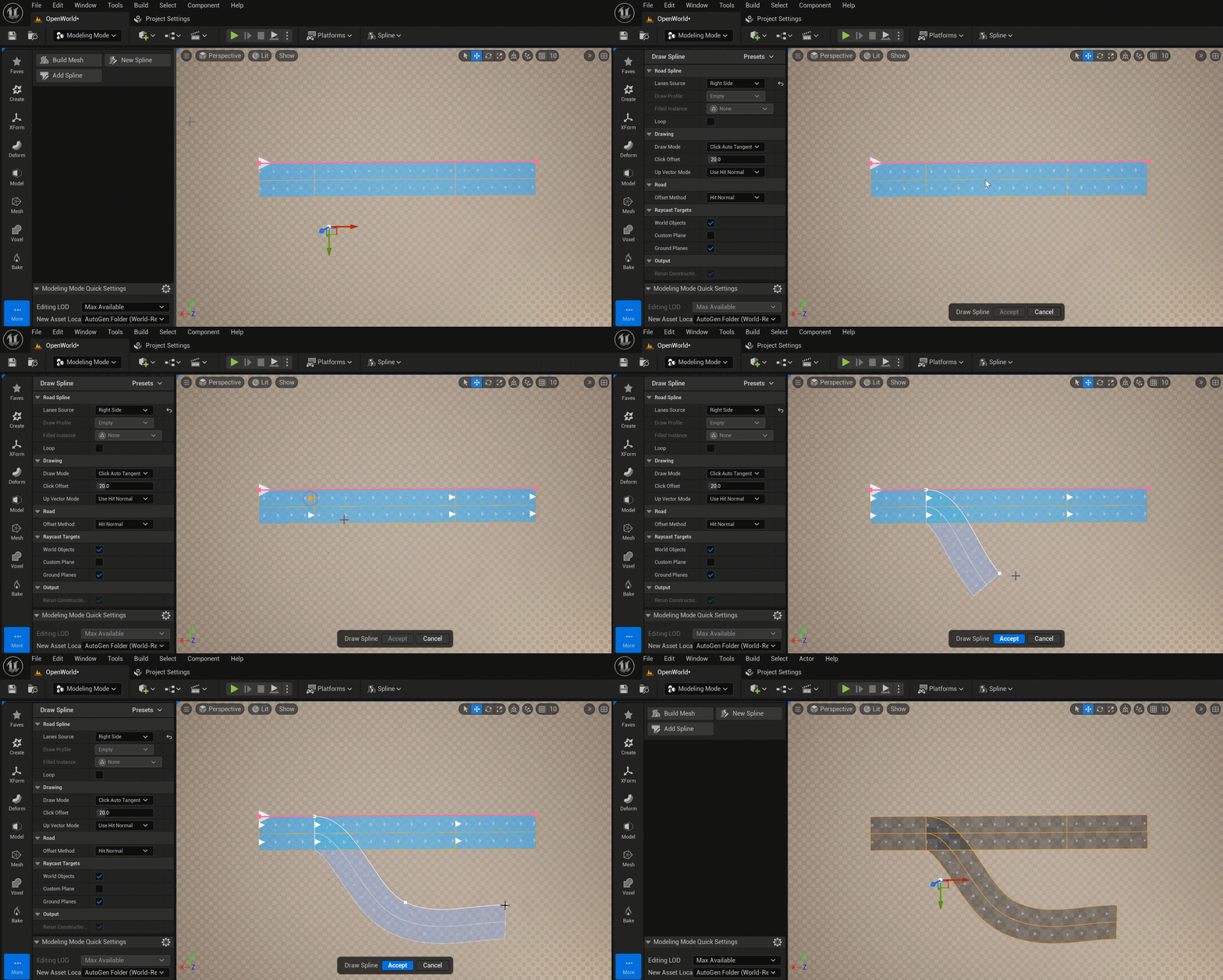
And finish with Lane Predecessor Connection:
6.1. Lane Source
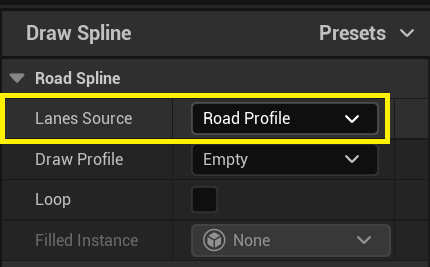
The Lane Source defines the rules for detection of road lanes profile (num and types of the road lanes) for spline drawing.
There are next options:
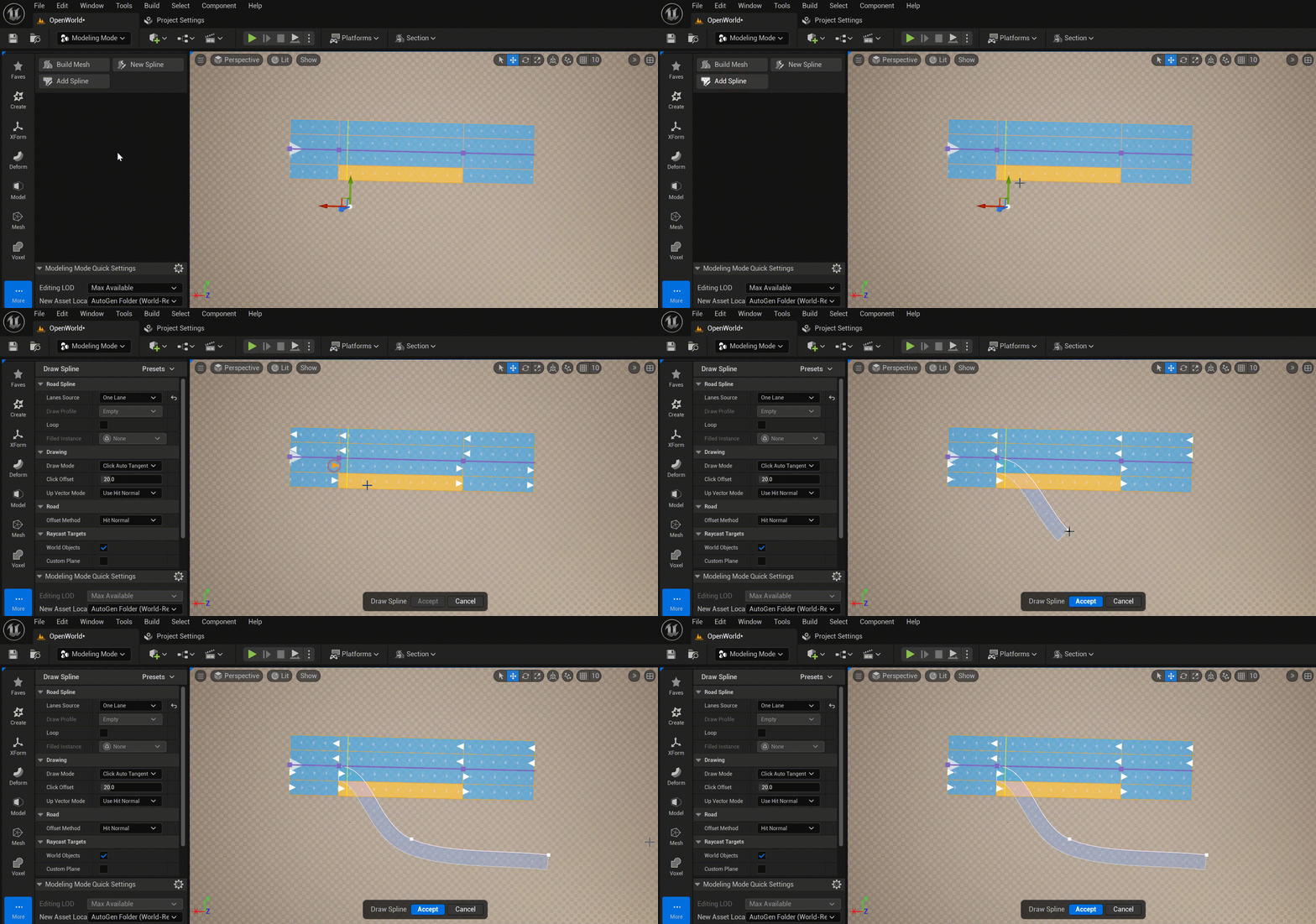
One Lane - Copy only one road lane from the Lane Successor Connection. Only valid if the spline is drawn from the Lane Successor Connection.
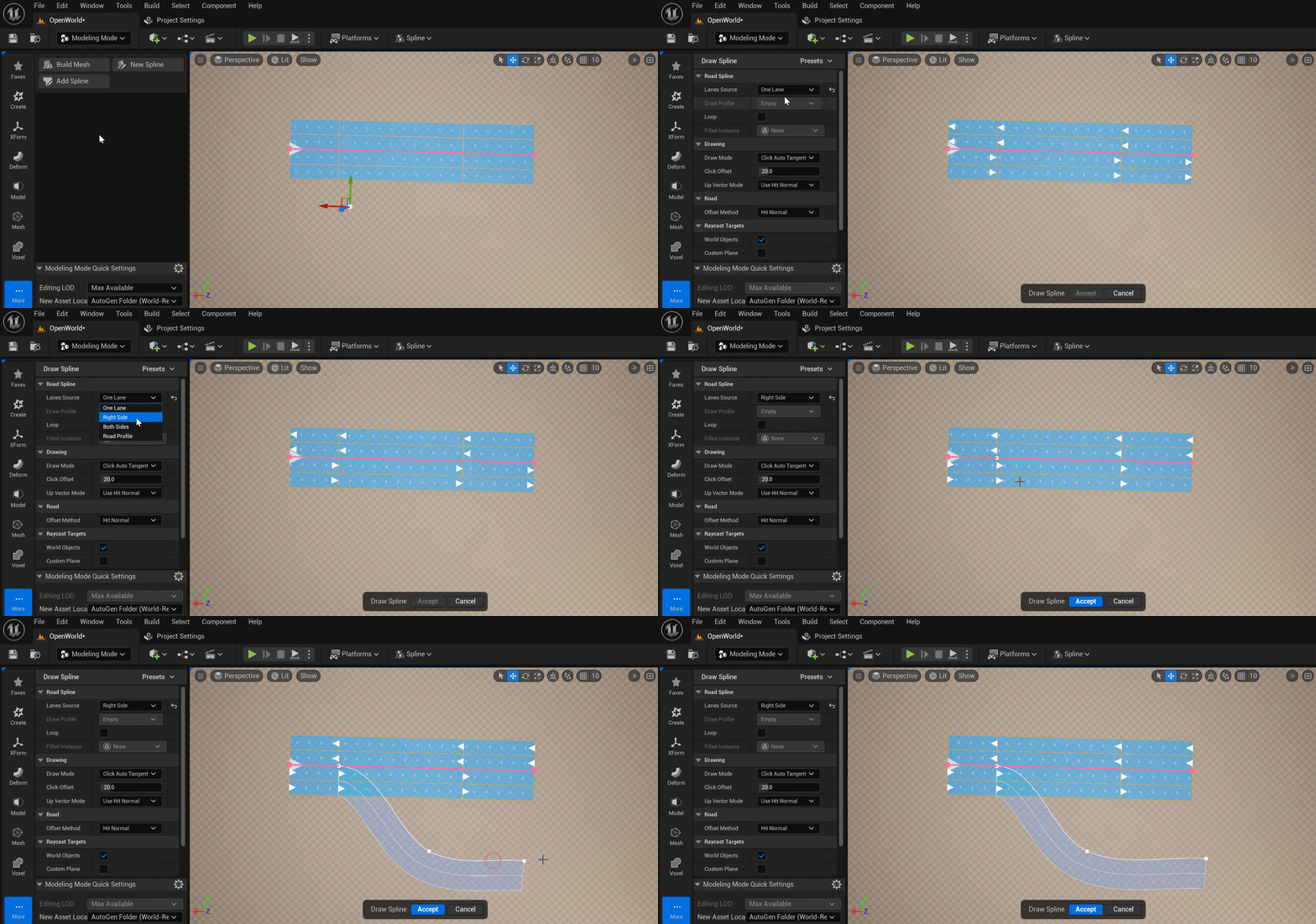
Right Side - Copy the road lanes from the Lane Successor Connection to the last right lane in the source road section. Only valid if the spline is drawn from the Lane Successor Connection.
Both Sides - Copy all road lanes from the Lane Successor Connection. Only valid if the spline is drawn from the Lane Successor Connection.
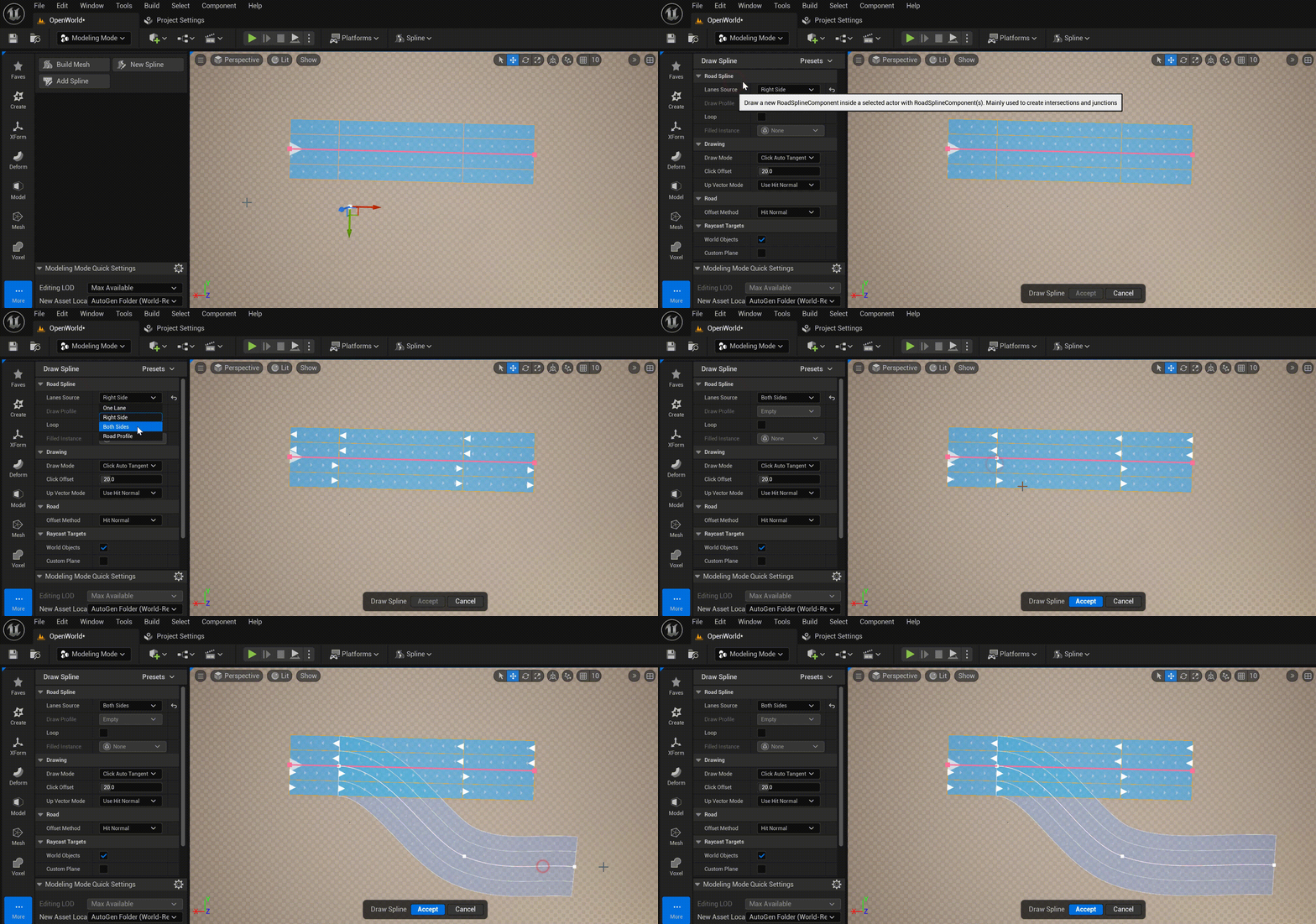
Road Profile - Copy road lanes from the profile. How to add a new profile - see Road Lane Profiles