4. New Intersection Tool (Pro)
This tool automates the creation of most types of standard intersections. You can still create any intersections and interchanges using the Draw Spline Tool. This tool’s purpose is to speed up the creation process. For particularly complex and non-standard intersections, you may have to create them entirely manually using the Draw Spline Tool.
4.1. Supported Intersection Types
The tool handles the most common intersection topologies out of the box:
T-junction — three road ends meeting at a point
X-junction (cross-intersection) — four road ends meeting at a point
Multi-lane — roads with different lane counts on each arm; the tool matches lanes automatically
For grade-separated interchanges, roundabouts, or other unusual topologies, use the Draw Spline Tool and connect the lanes manually in Spline Mode.
4.2. Workflow
To generate an intersection:
Switch to New Intersection Tool mode.
Click the beginning or end of each
URoadSplineComponentthat should join the intersection. Selected endpoints are highlighted. The selected splines may belong to any actors in the level.Once all arms are selected, the tool creates a new Actor containing the connecting junction splines and wires up all
URoadConnectionandULaneConnectionobjects automatically.
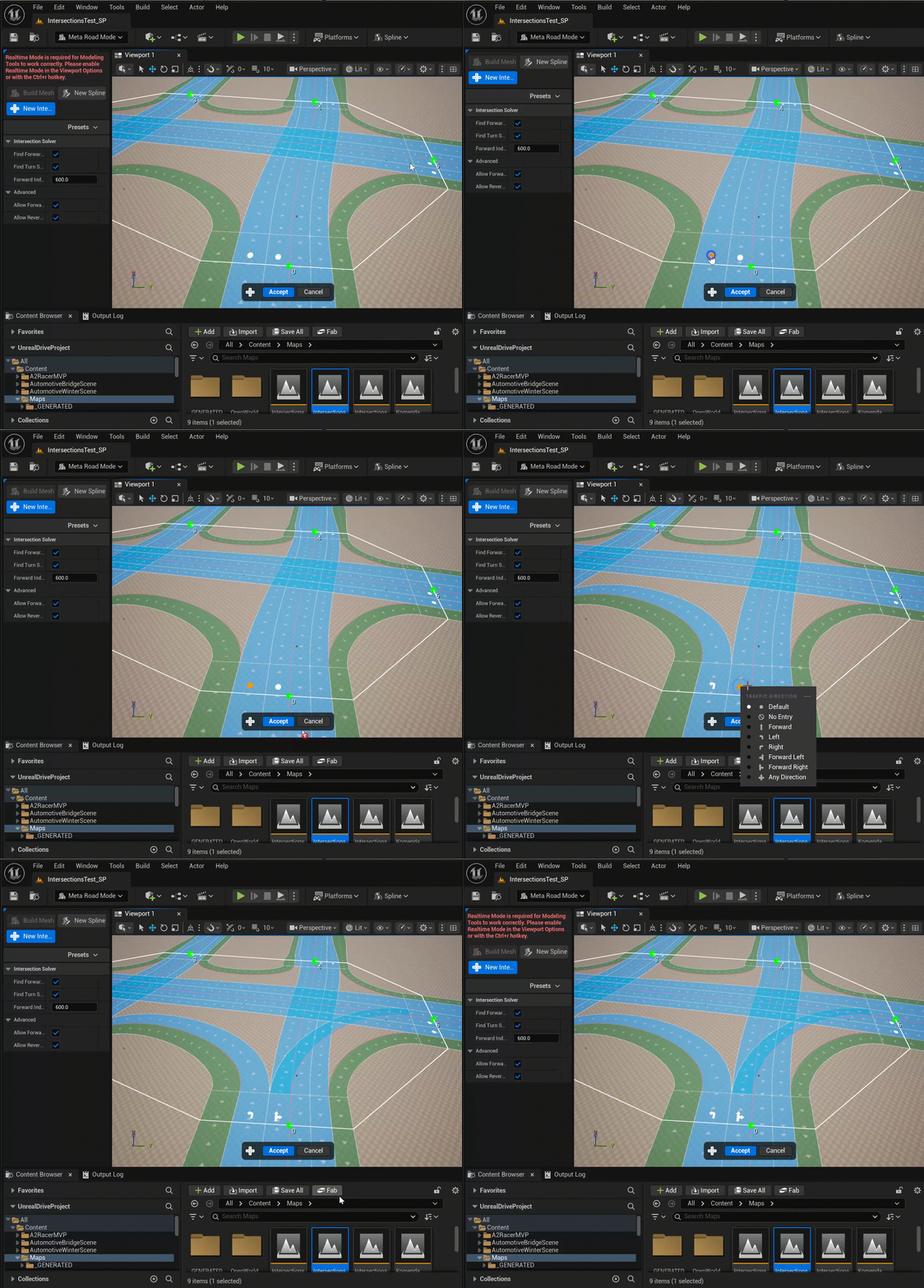
To start generating an intersection, simply switch to the New Intersection Tool mode and start selecting the beginnings or ends of the URoadSplineComponents for which you want to create an intersection:

4.3. Turn Directions
For each lane entering the intersection, you can set the possible directions of traffic movement (straight, left turn, right turn, U-turn). These settings affect how MetaRoad routes lane connectivity through the junction and are used by AI navigation (ZoneGraph) to generate correct traversal lanes:
4.4. Tips
After generation, switch to Section Mode to fine-tune the lane layout inside the junction splines.
For complex lane-drop or merge scenarios at the junction, add asymmetric lane sections to the approach splines before running the tool (see Asymmetric Lane Sections).
For procedural mesh generation, run the Build Mesh Tool on the new junction actor separately from the approach road actors (see Procedure Generation Tool).