Spline Mesh Attribute
Note
Inherited from Generate Attributes — shares its anchor, alignment, and per-key transform channels.
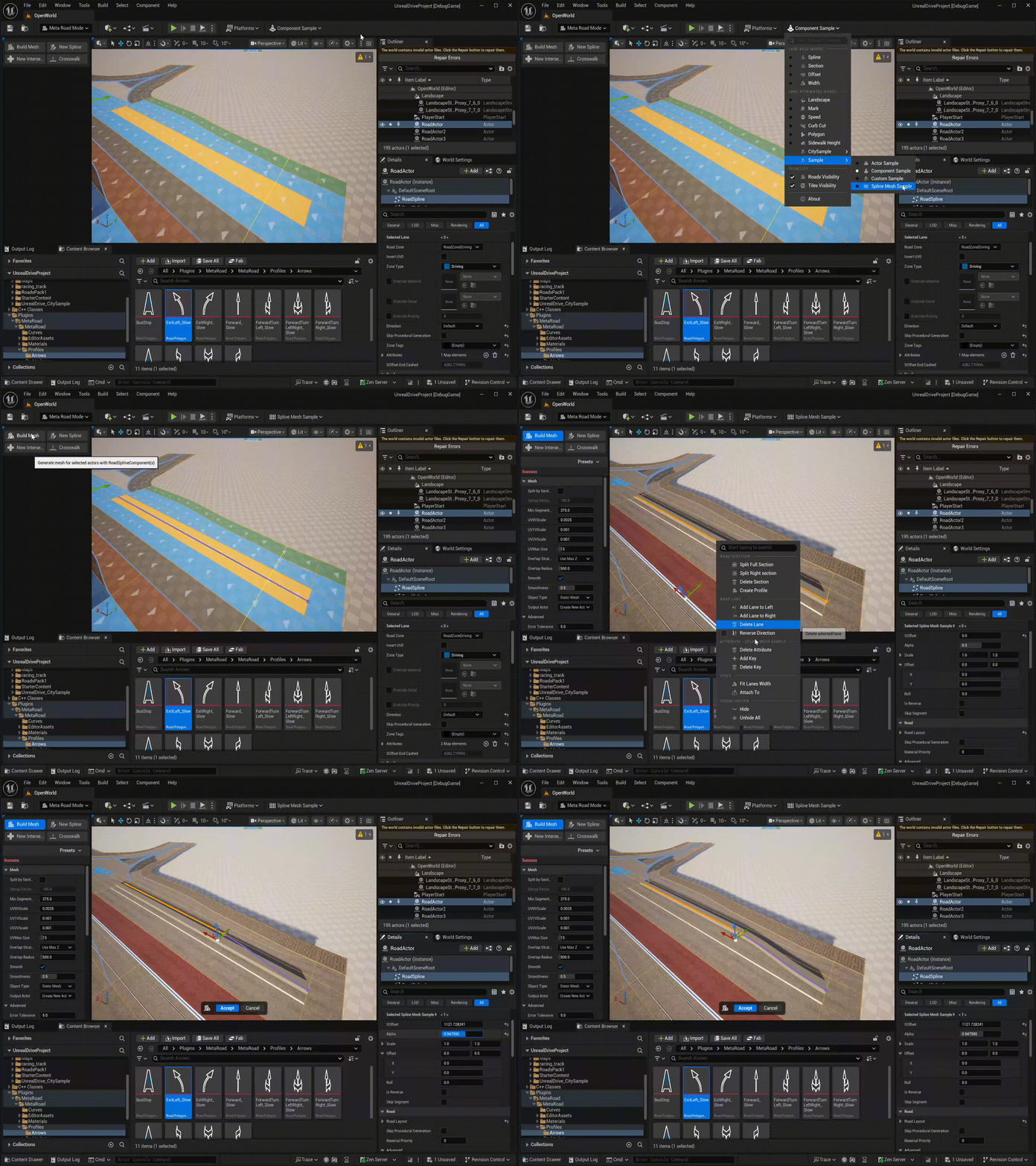
Sweeps a Static Mesh into a USplineMeshComponent along the lane at the LengthOfSegment interval — ideal for
guardrails, barriers, and curbs that must bend with the road. Add it and place keys with
Attribute Mode.
Create new Attribute
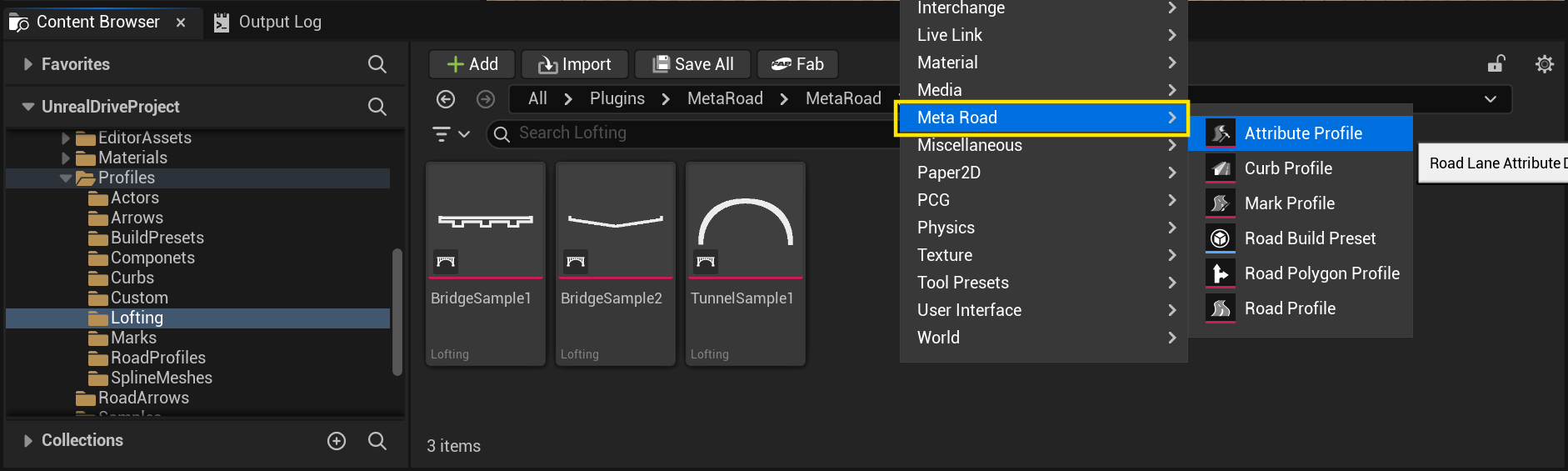
Create a new attribute from the Content Browser under the Meta Road category:
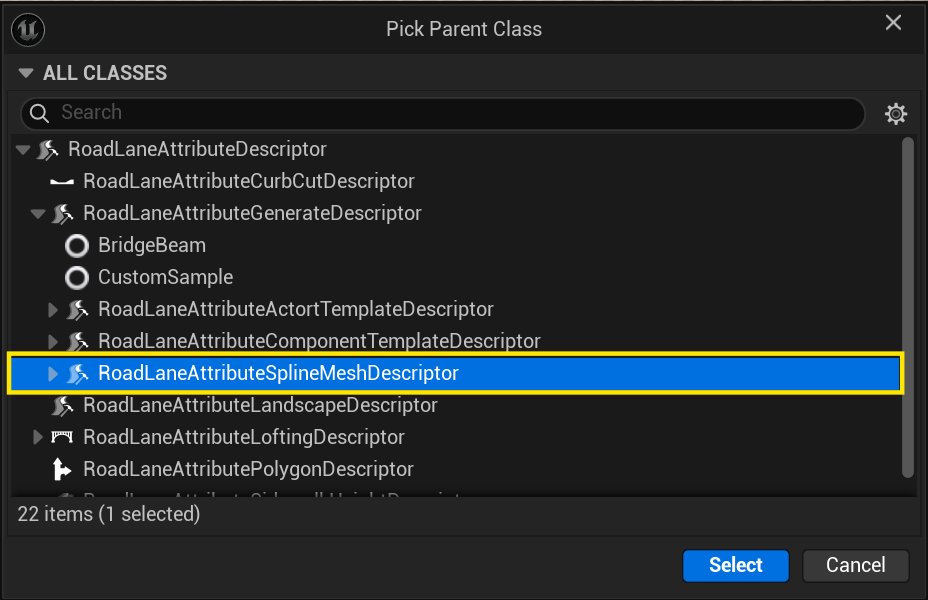
In the Pick Parent Class dialog choose RoadLaneAttributeSplineMeshDescriptor:
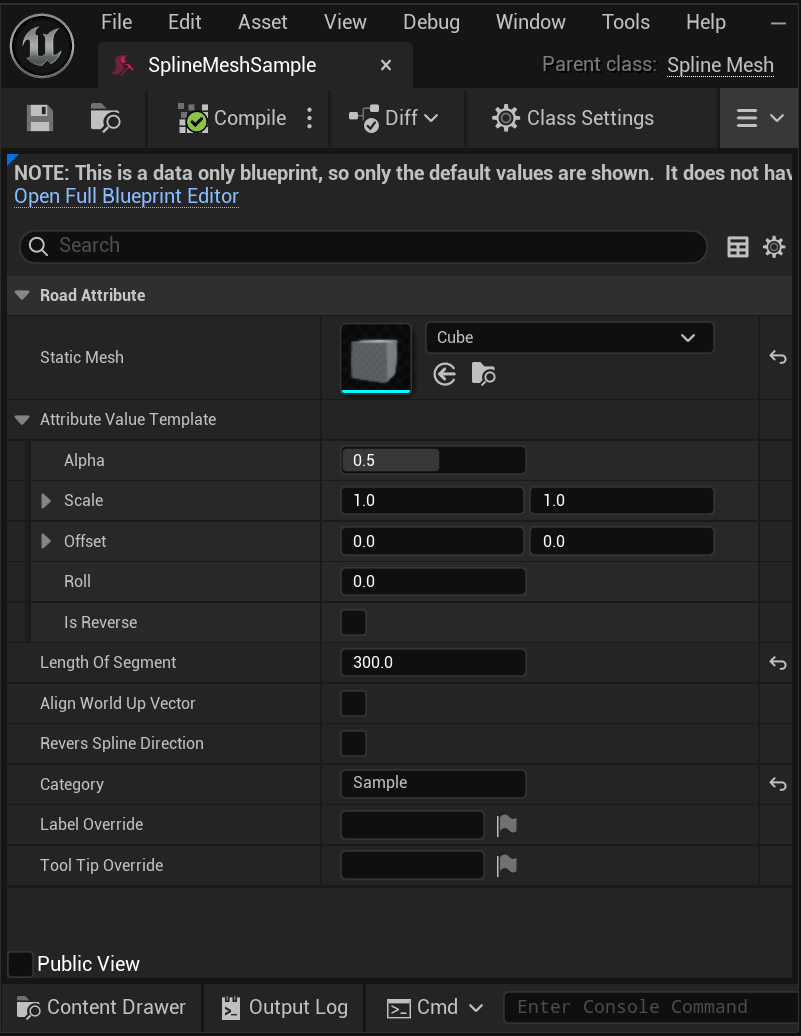
Properties
Property |
Description |
|---|---|
|
The mesh swept into a |
|
Collision settings applied to the generated spline mesh. |
|
Target arc-length [cm] of each generated segment (segment density). |
|
How the lane is subdivided — By Length of Segment or Between Keys. |
For the shared per-key transform channels (Alpha, Scale, Offset, Roll, width overrides) and Alignment, see
How a Generate Attribute follows the lane.
Drag and Drop
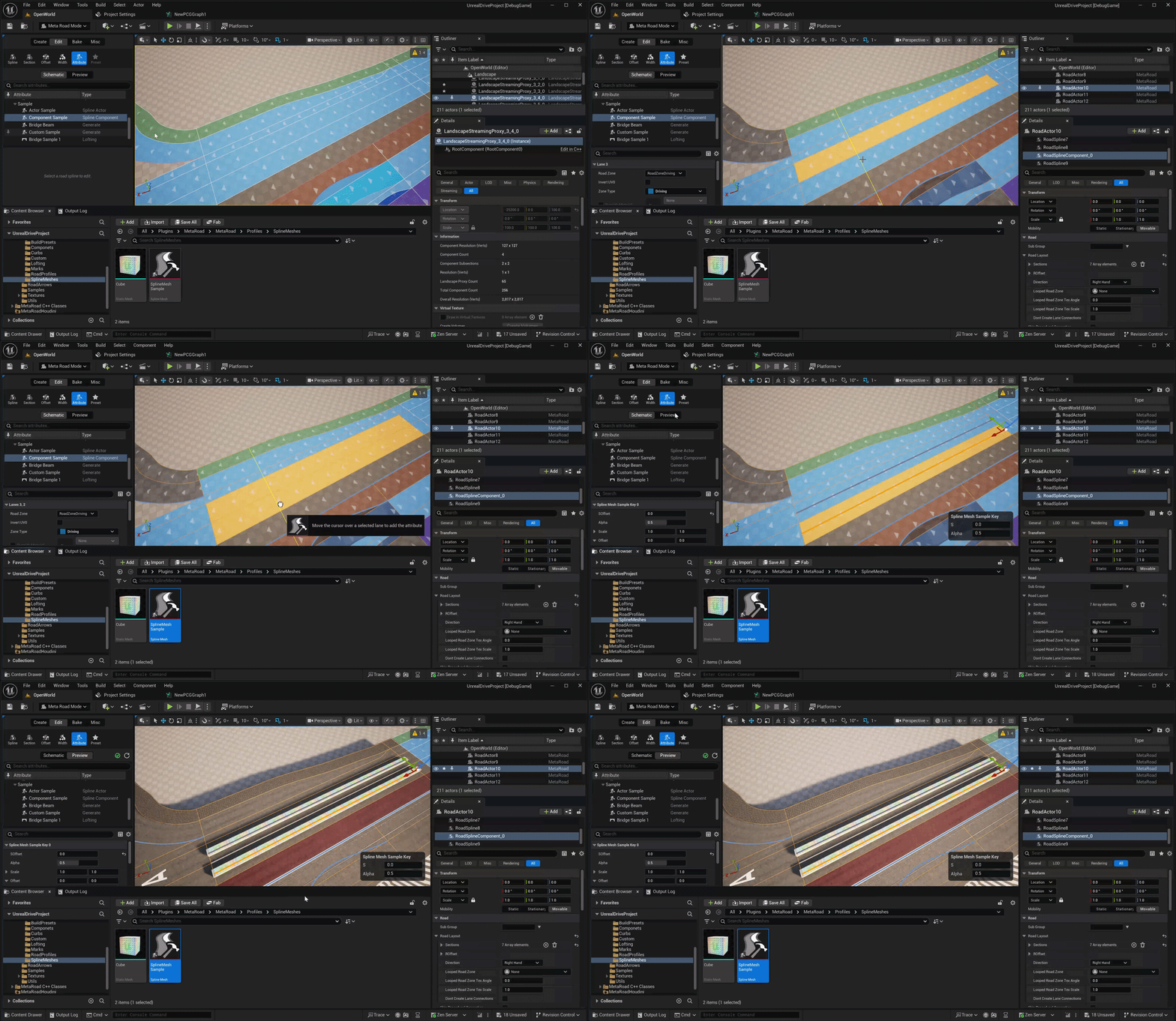
Drag a Spline Mesh attribute profile from the Content Browser onto a road lane to add it directly:
Examples
Sample assets: /MetaRoad/MetaRoad/Profiles/SplineMeshes.
See also
Generate Attributes — the base family (anchor / alignment / per-key transform channels).
Attribute Profile — how attribute assets are created in the Content Browser.
Attribute Mode — add the attribute and place keys along a lane.