Attribute Profile
An Attribute Profile is the Content-Browser asset that registers a custom lane attribute (a
URoadLaneAttributeDescriptor Blueprint). Once created, the new attribute type appears automatically in
Attribute Mode — no changes to the core plugin.
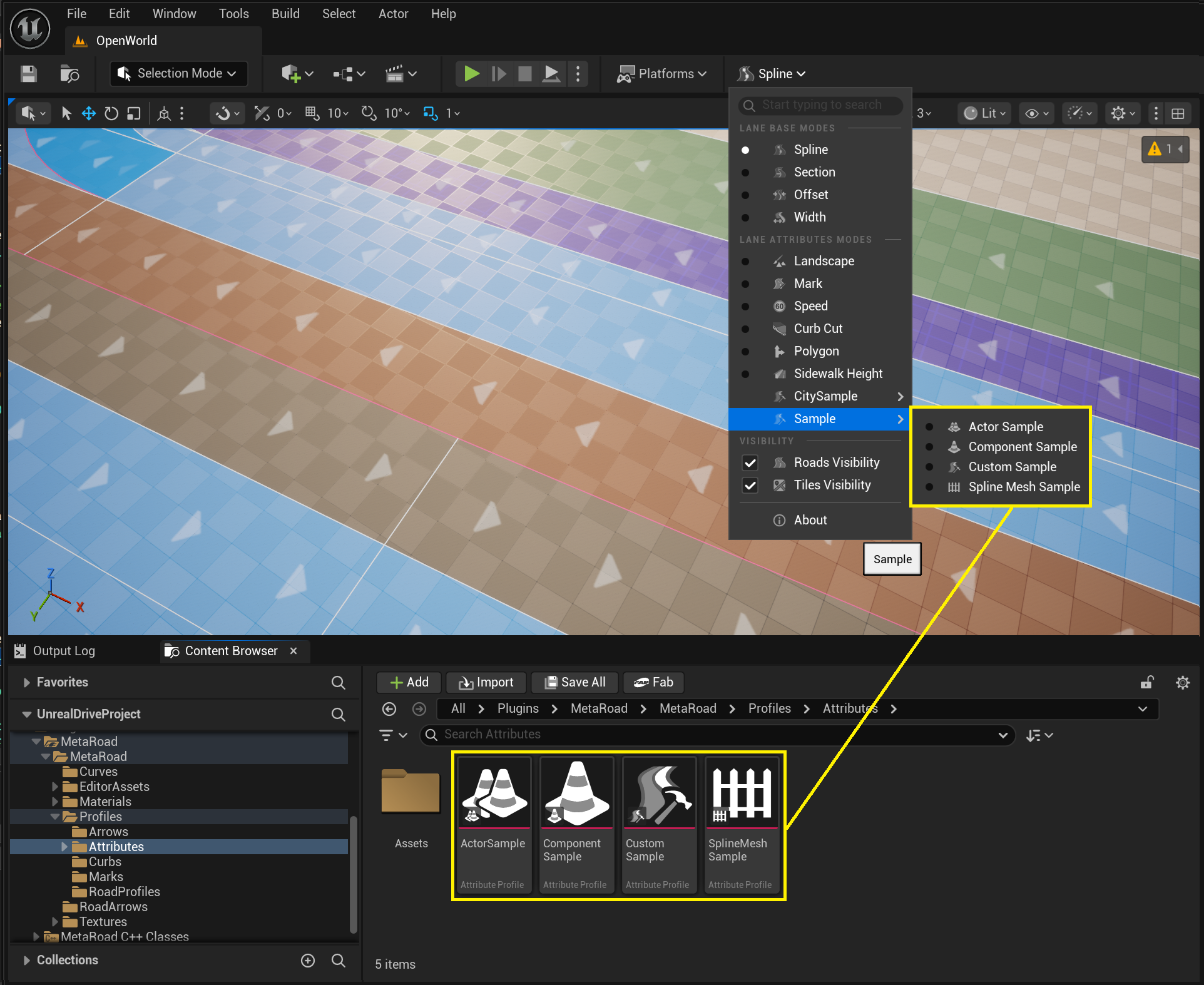
Creating one
From the Content Browser: right-click → Meta Road → Attribute Profile, then choose the base class the profile derives from:
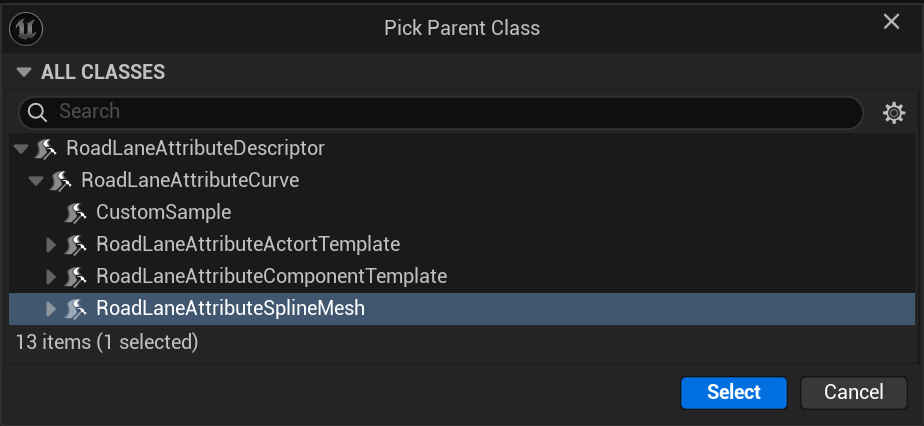
The base classes are the Generate Attributes family — Spline Mesh,
Component Template, Actor Template, or Lofting (Pro). Pick the one that matches what you want to place along the lane
(each has its own page under Attribute Types with the full field reference), or subclass the
Generate base directly to emit custom geometry from
GenerateAsset().
How it’s used
The new attribute type appears automatically in the Attribute Mode attribute tree — add it to a lane and place keys like any other attribute. You can also drag the profile asset from the Content Browser onto a road lane to add it directly (see Profiles → Drag and drop).
See also
Attributes — what attributes are and the full type catalog.
Generate Attributes — the base-class family this profile derives from.
Attribute Mode — add and edit attributes on a lane.