Polygon Profile (Pro)
A Polygon Profile (URoadPolygonProfile) is a reusable asset that stores one or more 2D closed polygon shapes.
The Polygon Attribute (Pro) uses them to place custom overlays — stop lines,
arrows, hatching, and the like — on road lanes.
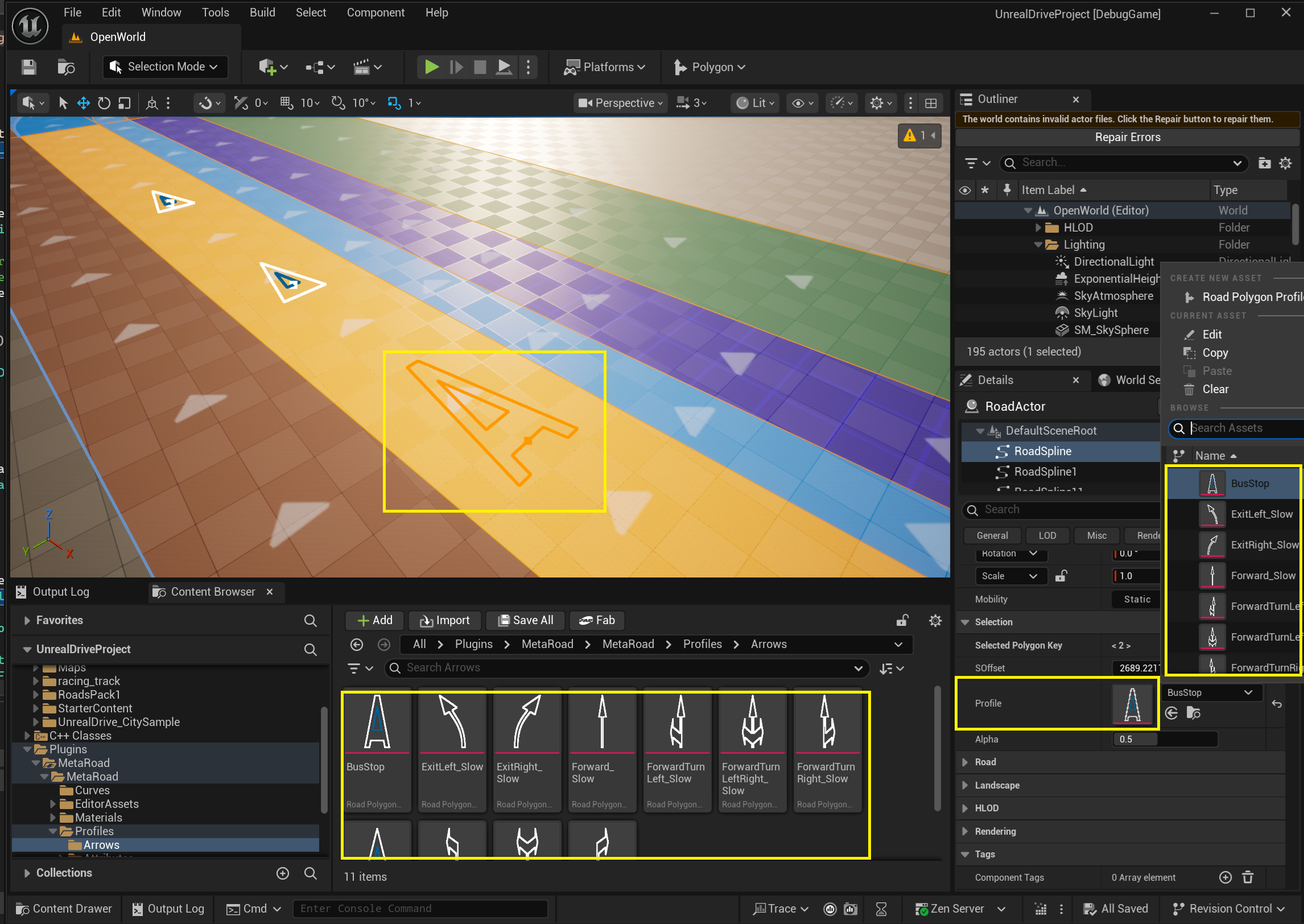
Properties
Each profile holds an array of Polygon entries. Every entry defines:
Property |
Description |
|---|---|
|
A 2D Hermite spline ( |
|
Road surface type applied to this polygon (determines its material and color) |
|
UV texture rotation in degrees |
|
UV texture scale multiplier |
|
Curve-to-polyline simplification tolerance |
Create one from the Content Browser (right-click → Meta Road → Polygon Profile); double-click it to open the Polygon Profile editor.
The Polygon Profile editor
A dedicated 2D canvas for drawing and shaping the polygons.
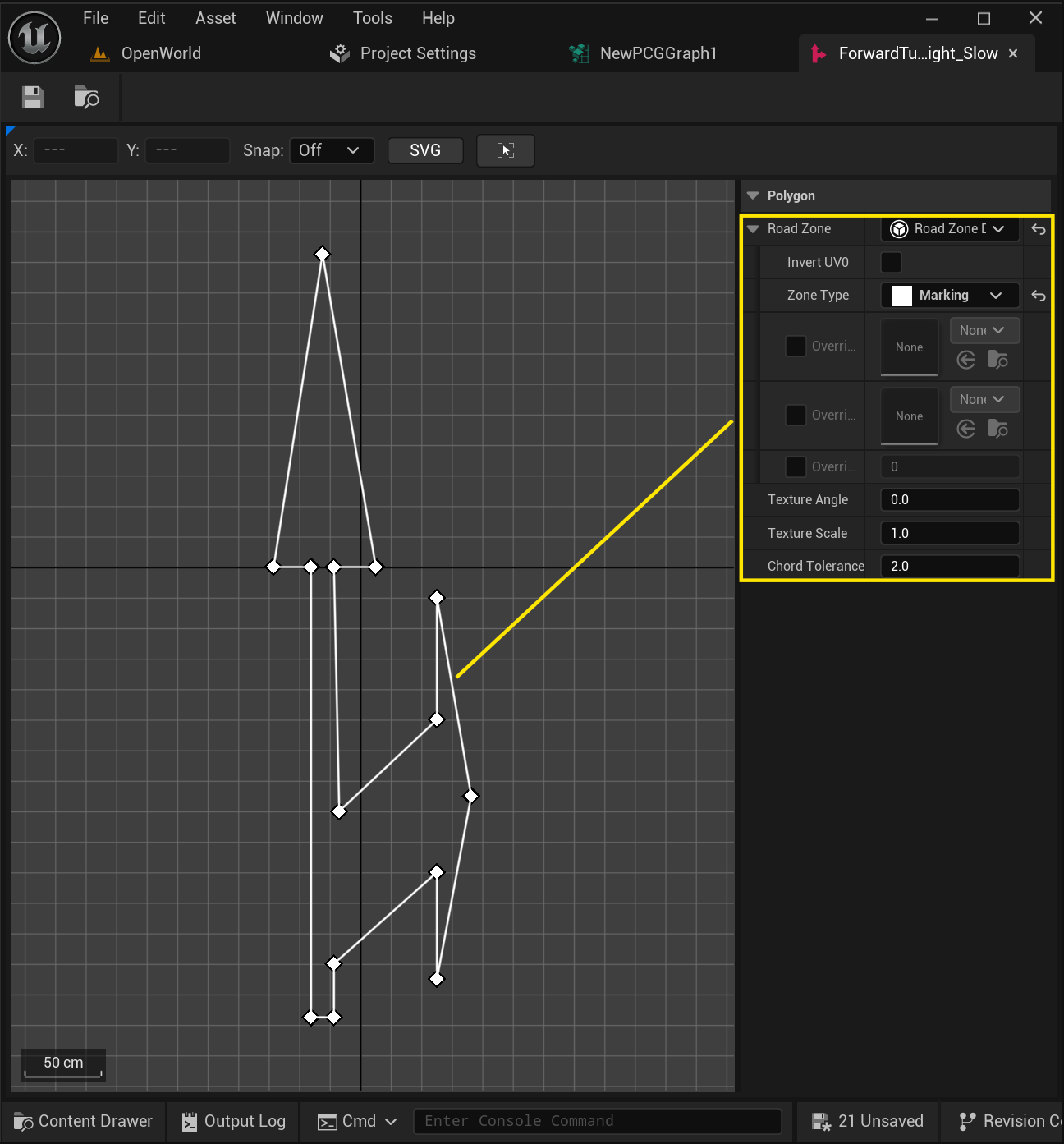
Canvas viewport — the 2D editing surface. All polygons in the profile are shown together; the active polygon is highlighted while the others are dimmed.
Details panel — properties of the profile and its polygon entries (the table above).
Canvas controls:
LMB drag — move a polygon point, or its tangent handle (for Hermite/curved segments).
RMB — context menu to add or delete polygons and individual points.
Scroll — zoom in / out.
MMB / RMB drag — pan the canvas.
How it’s used
Referenced by the
Profileof a Polygon Attribute key — one shape can be reused across many lanes.Can be dragged from the Content Browser onto a road lane to add a polygon key at the point nearest the cursor.
See also
Profiles — all Meta Road profile assets.
Polygon Attribute — places a Polygon Profile shape on a lane.