Profiles
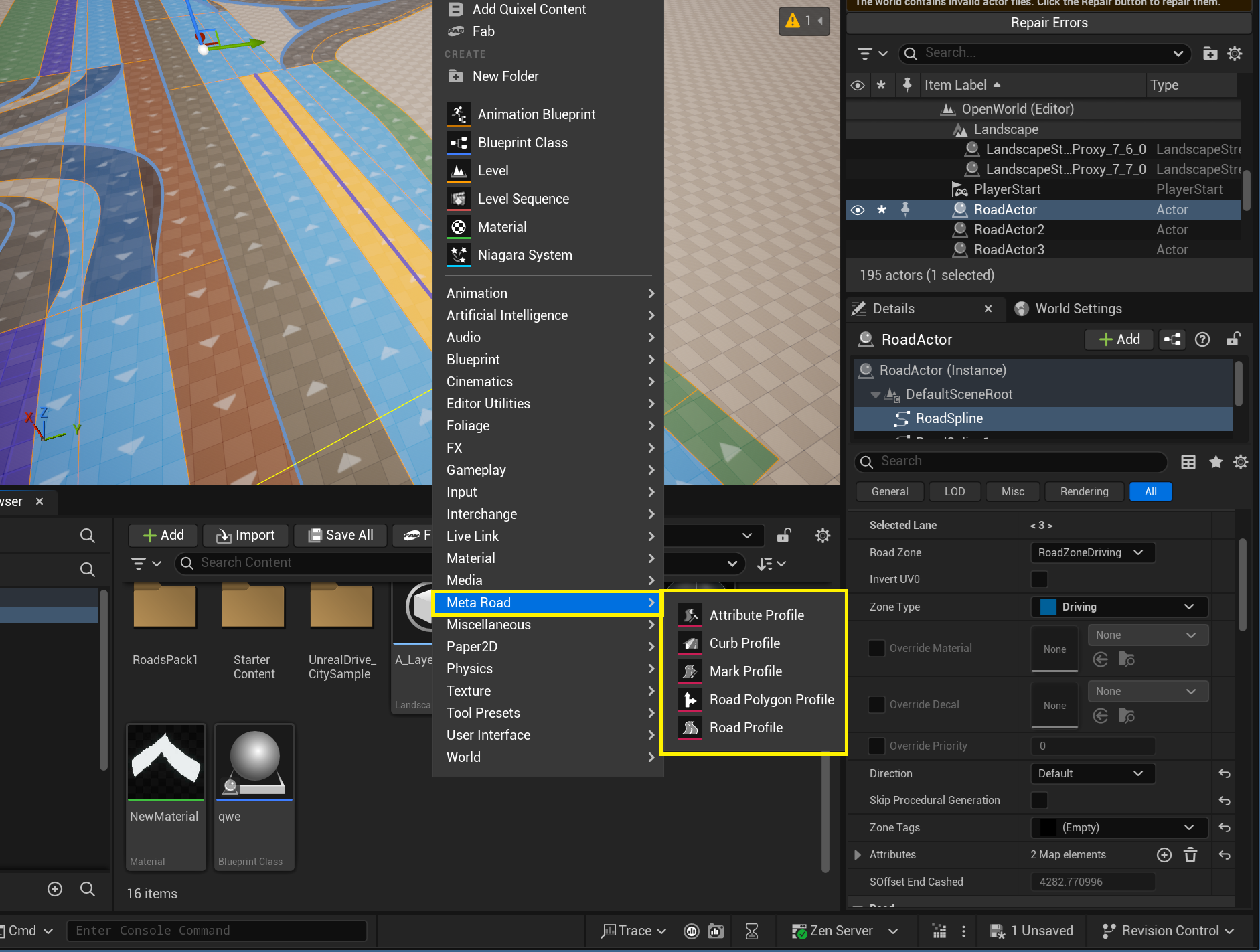
Profiles are reusable MetaRoad assets — you create them in the Content Browser under the Meta Road category and reference them from roads, attributes, and tools. Create one from the right-click Add → Meta Road menu:
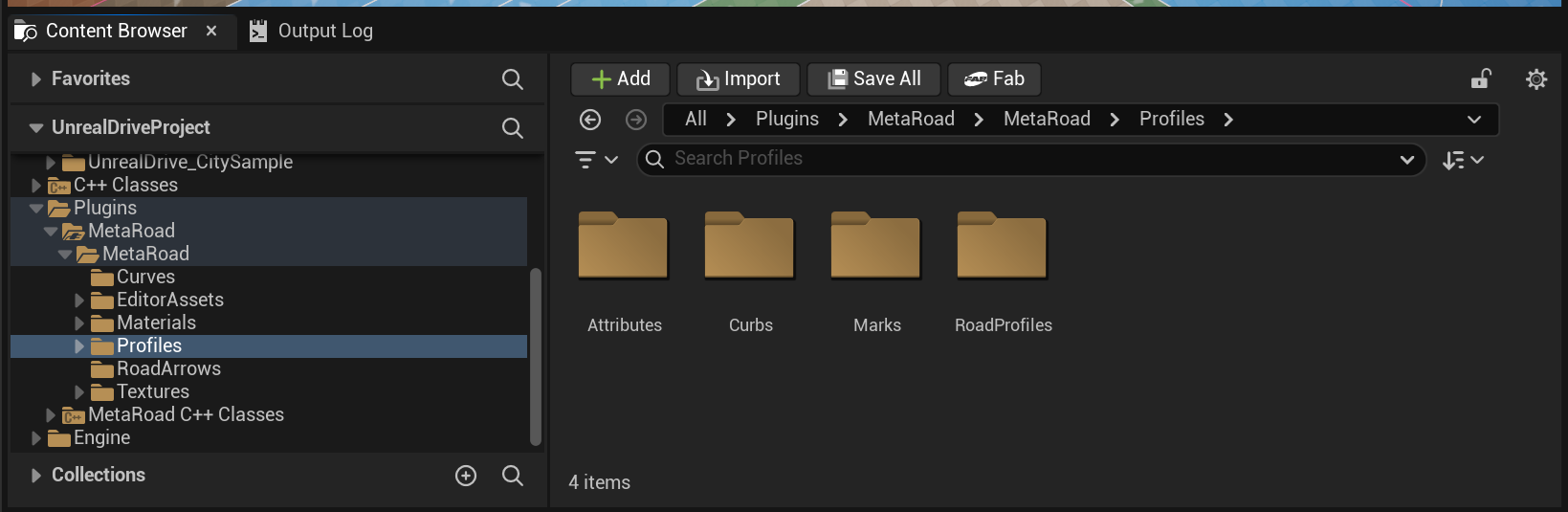
A set of default profiles ships at /MetaRoad/DefaultPreset; keep it unchanged for backward compatibility:
Profile types
Profile asset |
Defines |
|---|---|
The lane layout a new road starts with |
|
Curb material + geometry for sidewalk lanes |
|
A road-marking strip (type, size, color) |
|
A custom lane-attribute type (Generate / Spline Mesh / Component / Actor / Lofting) |
|
Polygon Profile (Pro) |
Reusable 2D polygon shapes for lane overlays |
Most profiles open a dedicated editor when you double-click them — described on each profile’s page. Many can also be applied to a road lane by dragging them from the Content Browser onto the road.
Not a content profile, but a related Meta Road asset: the Build Preset — a saved bundle of a road’s build settings (see Preset Mode).
Drag and drop
You can apply many profile assets to a road directly from the Content Browser — drag the asset into the viewport and drop it onto a road. Instead of spawning a new actor (the usual Unreal behavior), MetaRoad adds the corresponding attribute to the currently selected road lane:
Dragged asset |
Result on drop |
|---|---|
Mark Profile ( |
Sets the lane’s Road Mark attribute (replaces the existing one) |
Polygon Profile ( |
Adds a Polygon attribute key at the point nearest the cursor |
Attribute Profile (any |
Adds that attribute to the lane |
Note
Select the target road (and be in a lane-editing context) before dropping. Any other asset dropped on the level behaves normally — this special handling only applies to MetaRoad profile/attribute assets.
See also
Road Profile — the lane layout a new road starts with.
Curb Profile — curb cross-section for sidewalk lanes.
Mark Profile — a road-marking strip.
Attribute Profile — register a custom lane-attribute type.
Polygon Profile (Pro) — reusable 2D polygon shapes for lane overlays.
Build Preset — a saved bundle of a road’s build settings.
Attributes — how lane attributes work.