FBX Export
Note
This is the Export tile in the Bake palette of the Meta Road editor mode (see The Meta Road Editor Mode).
FBX Export writes your road meshes to .fbx files on disk — for use in other DCC tools, engines, or pipelines. It
exports both static meshes and spline meshes of the road.
Exporting
Enter the Meta Road mode, open the Bake palette, and click the Export tile.
Set the export options in the panel (below).
Click Export Selected (the selected road actors) or Export All (every road actor in the level).
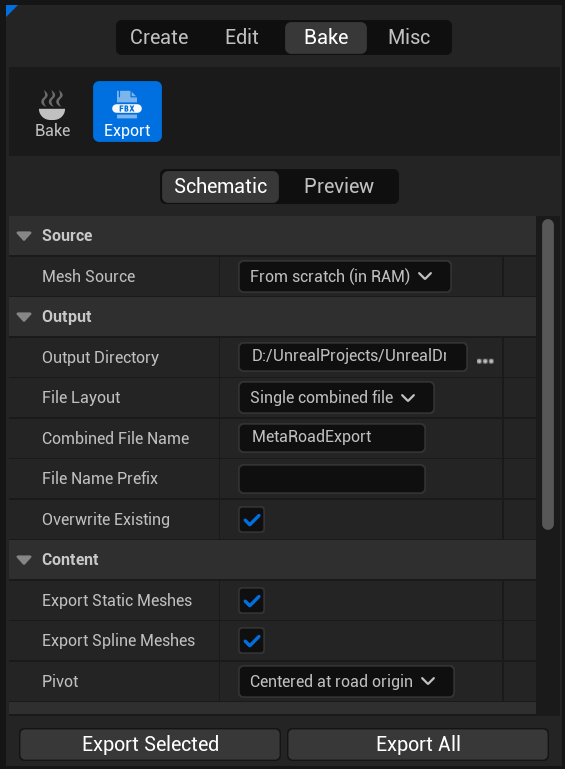
Settings
Setting |
Options |
Description |
|---|---|---|
Mesh Source |
|
|
File Layout |
|
One file per road actor; a single combined file (roads keep their relative world layout); or one file per mesh component. |
Pivot |
|
Center each export around its origin, or keep world positions. |
Output Directory |
path |
Filesystem folder for the |
File Name Prefix |
text |
Prefix added to each exported file name. |
Combined File Name |
text |
File name used in |
Overwrite Existing |
bool |
Overwrite files that already exist. |
See also
Baking — generate the in-level road meshes.