Landscape (Pro)
The URoadSplineComponent has similar properties to Unreal Engine Landscape Splines: they deform and paint the Landscape underneath it.
Setup
To use this feature, you first need to add a RoadSplines layer to Landscape:
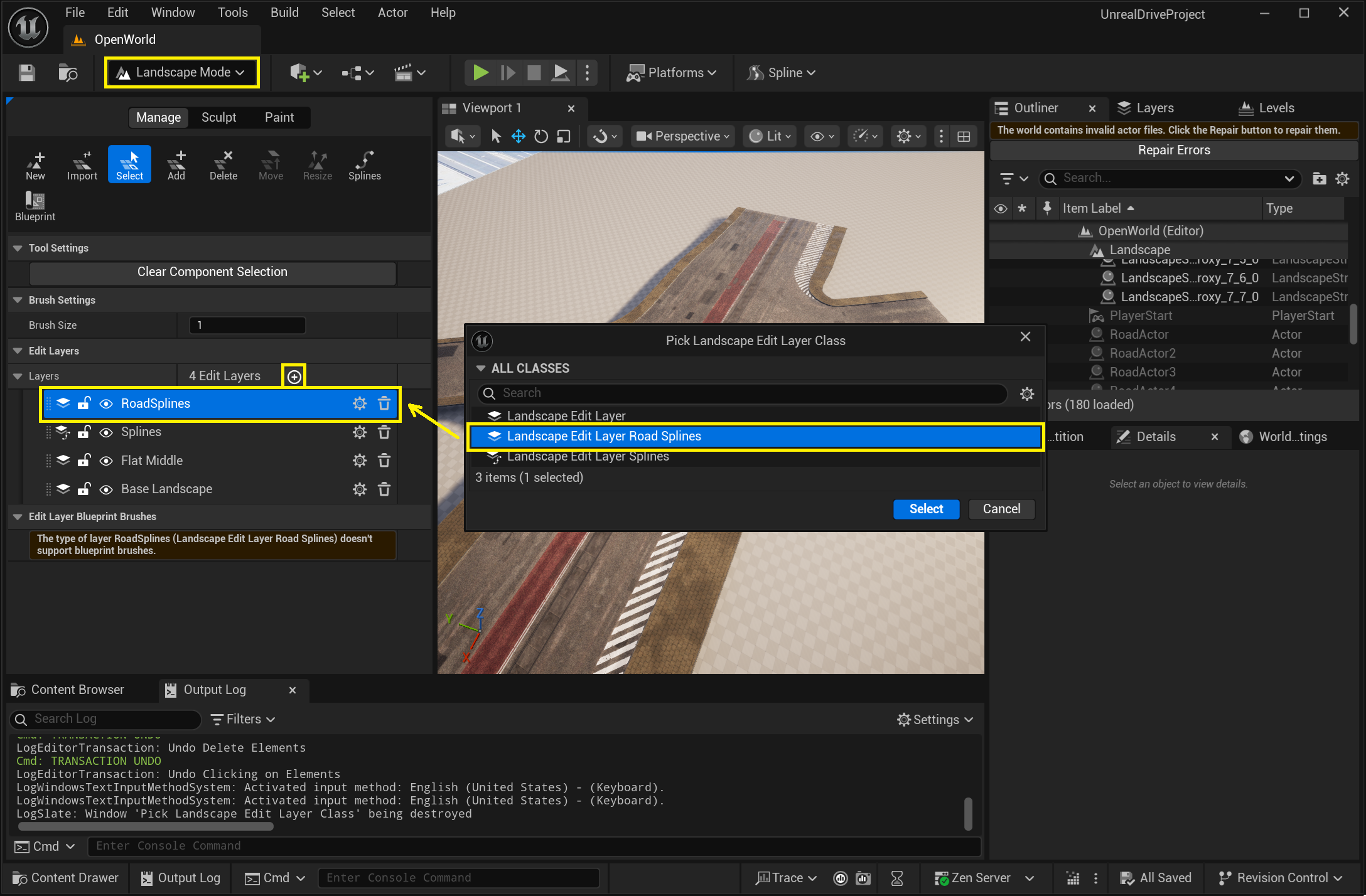
After that, for each URoadSplineComponent for which you want to use the Landscape features, you need to select the corresponding Landscape:
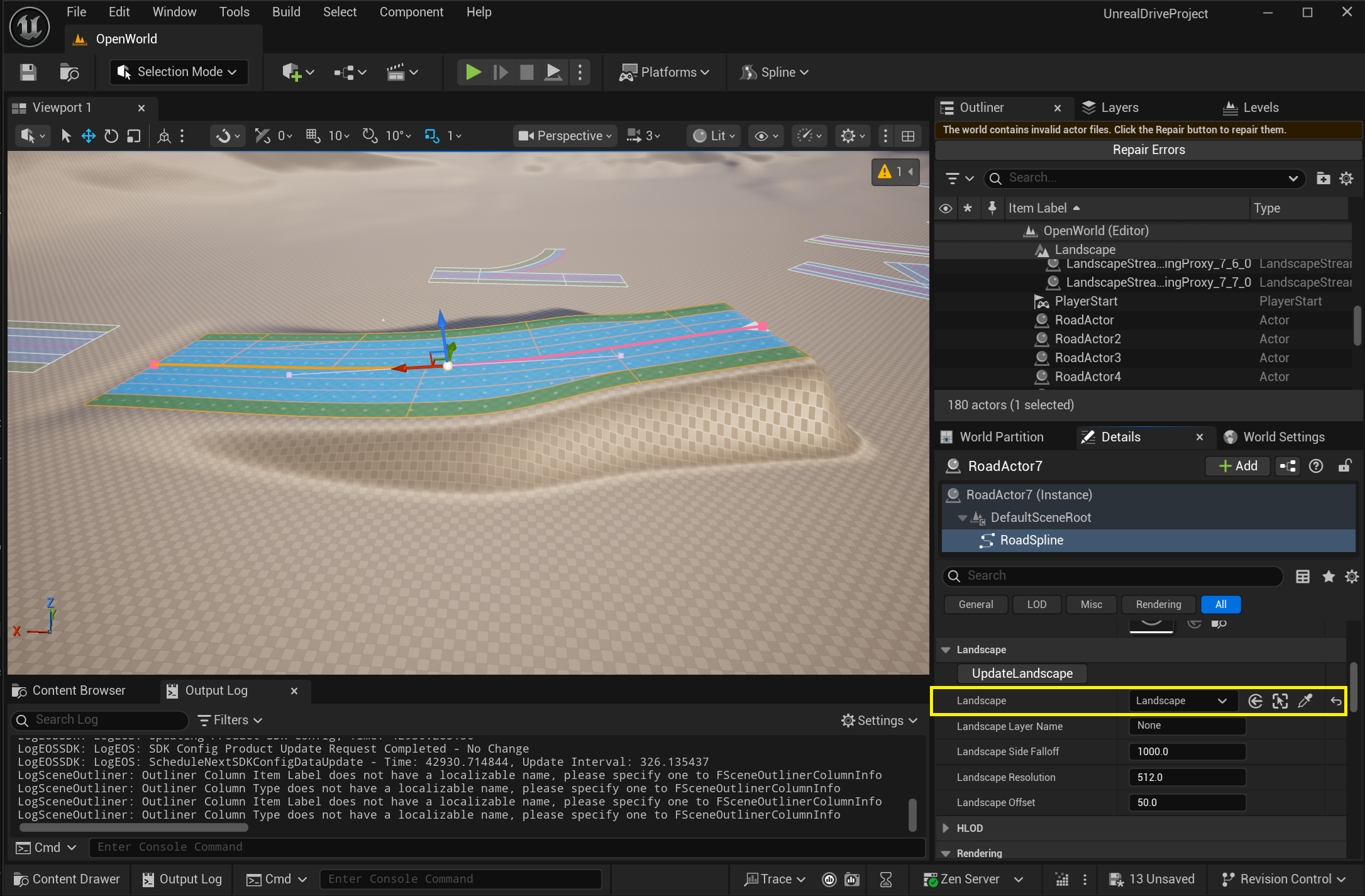
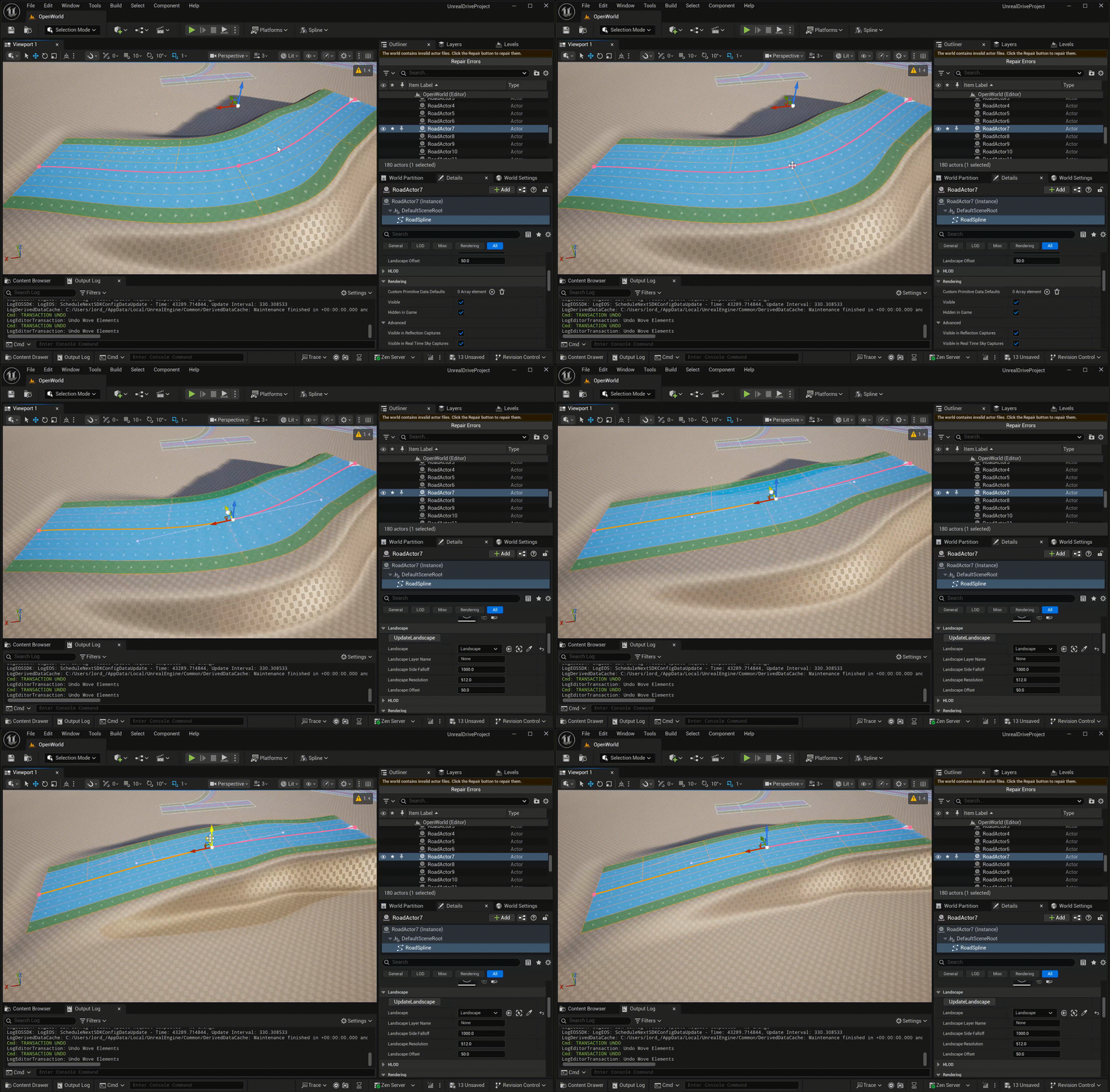
That’s all, the landscape should update automatically whenever the URoadSplineComponent changes:
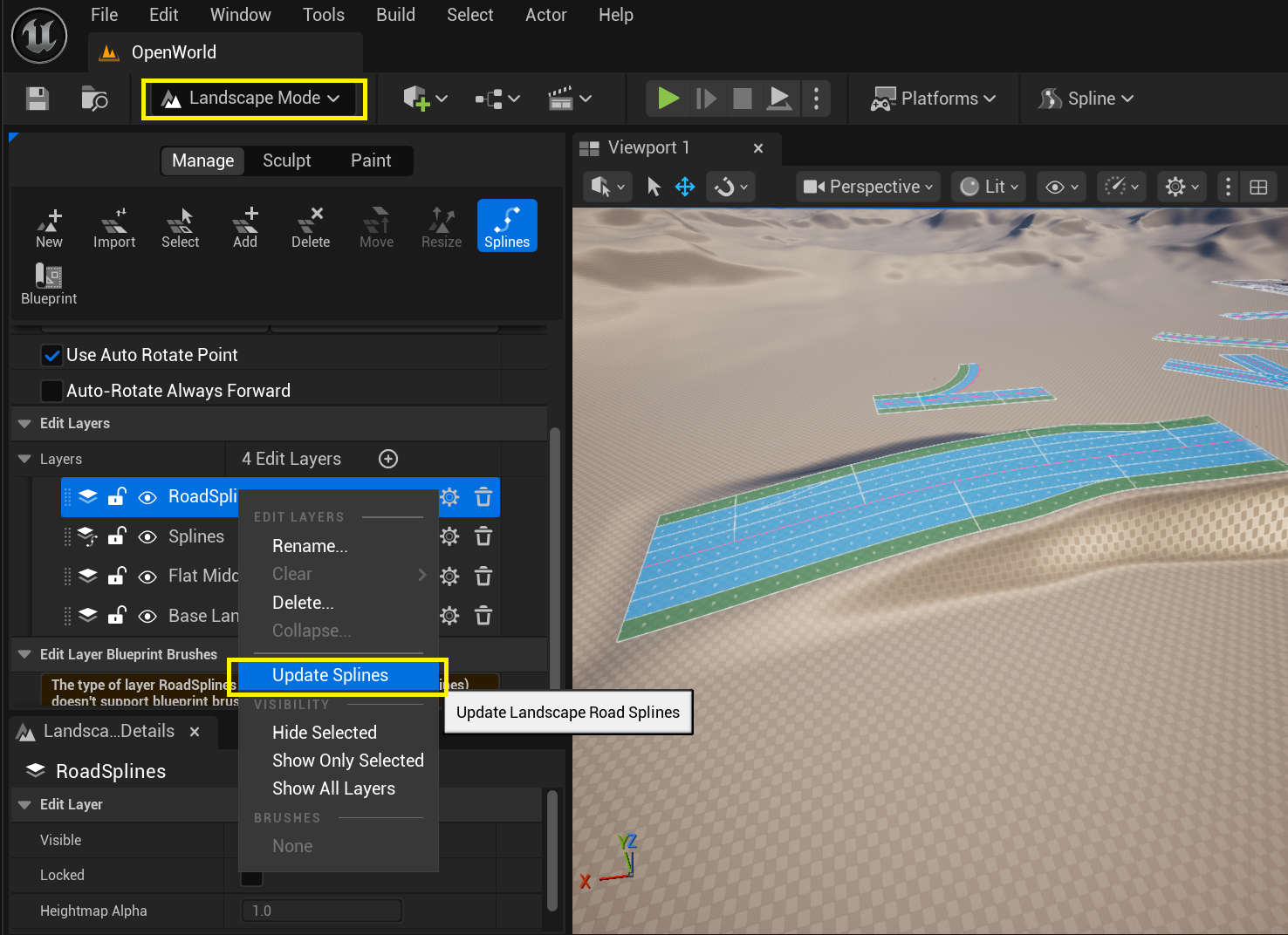
The landscape support feature is experimental, and if for some reason the landscape under the URoadSplineComponent hasn’t updated, you can do it manually. To do this, in the context menu of the RoadSpline layers, you must select the Update Splines item:
Paint
URoadSplineComponent supports Landscape Paint Mode.
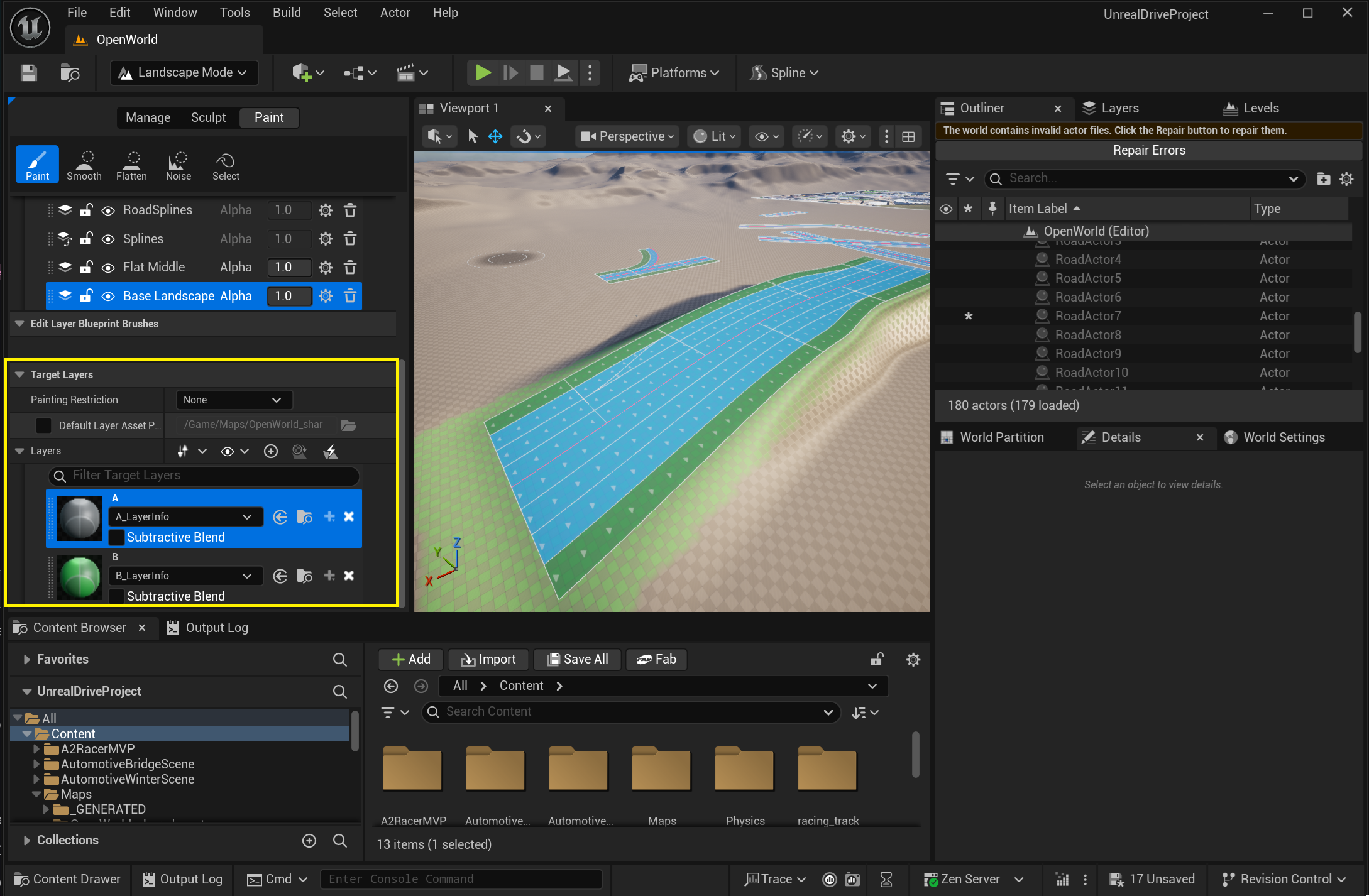
In the example below, two paint layers (A and B) have already been created:
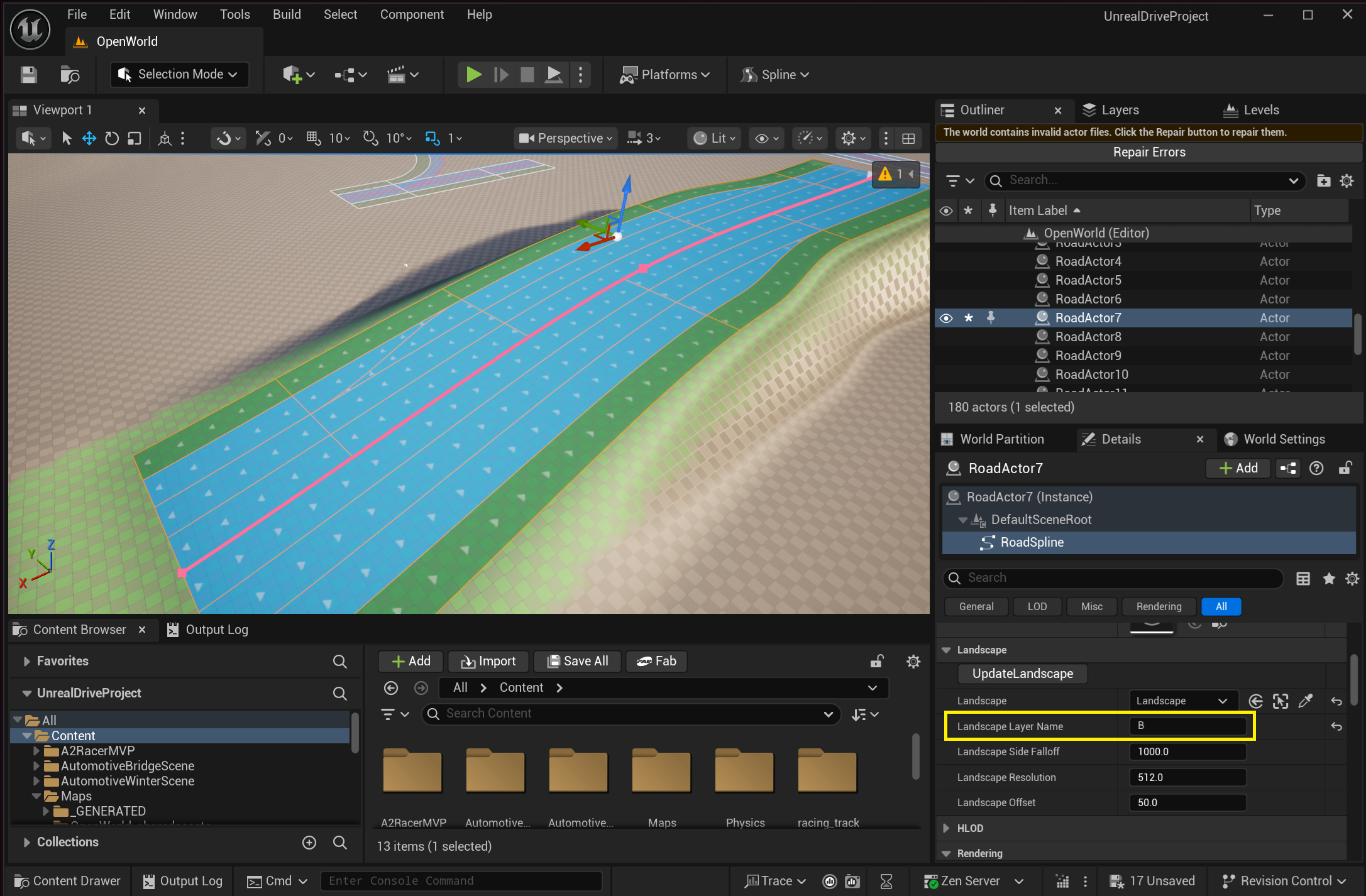
Now you just need to specify the Landscape Layer Name of the drawing layer, and the landscape under the URoadSplineComponent will be painted automatically:
See also
Baking — generate the road meshes that sit on the deformed Landscape.
Zone Graph — another Pro integration driven from road lane data.