Zone Graph (Pro)
ZoneGraph is Unreal Engine’s zone-based navigation graph used by MassAI and crowd simulation systems. MetaRoad can populate ZoneGraph lanes directly from road lane data, so AI agents can path-find along roads, tram lines, sidewalks, or any other lane type without manual zone shape placement. To use this feature you need the Pro edition of MetaRoad plus the ZoneGraph and MassAI plugins enabled in your project.
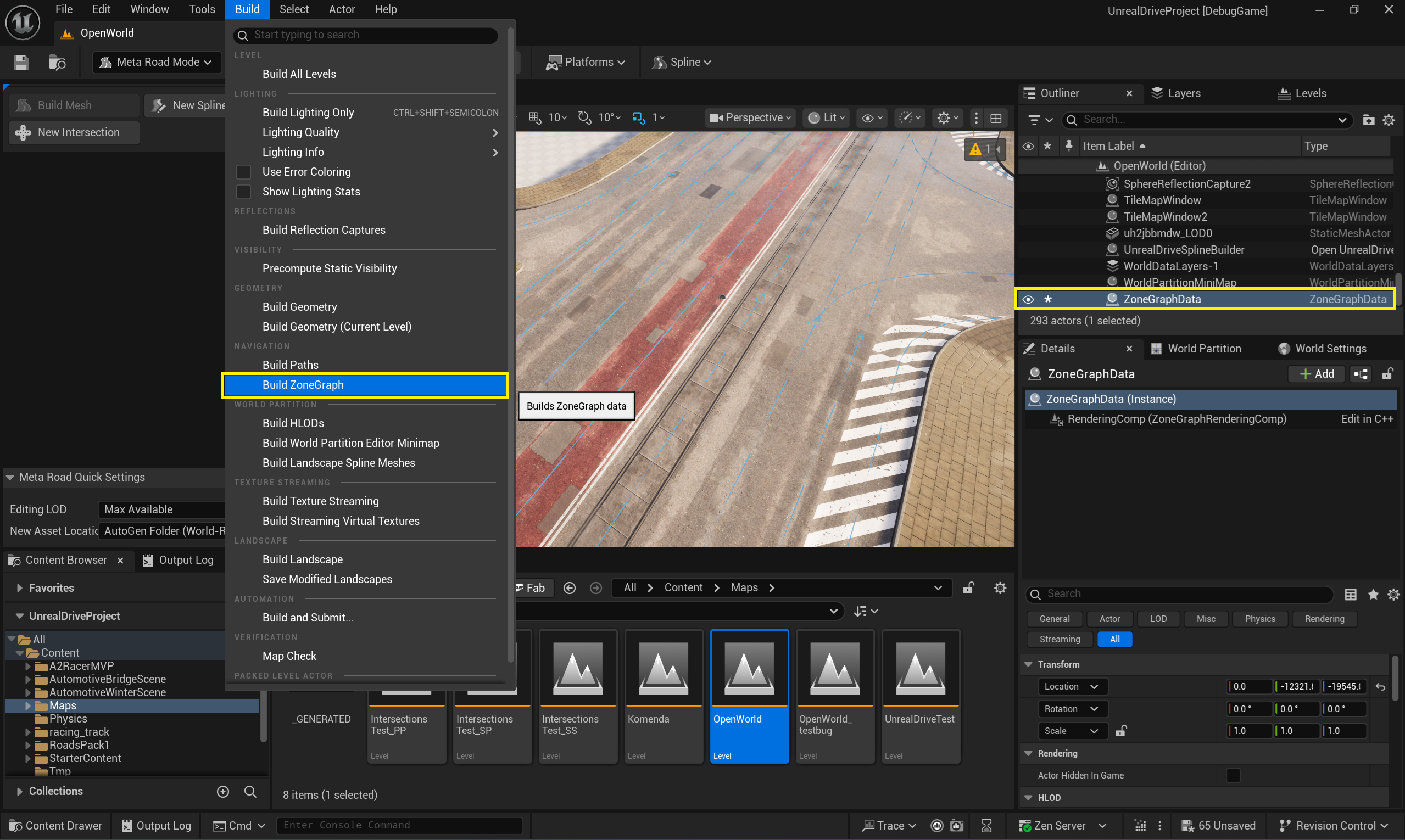
ZoneGraphData is built via the Build -> Build ZoneGraph menu, just like the standard ZoneShape approach. This will generate one ZoneGraphData actor for each level, which will contain navigation data for the corresponding level:
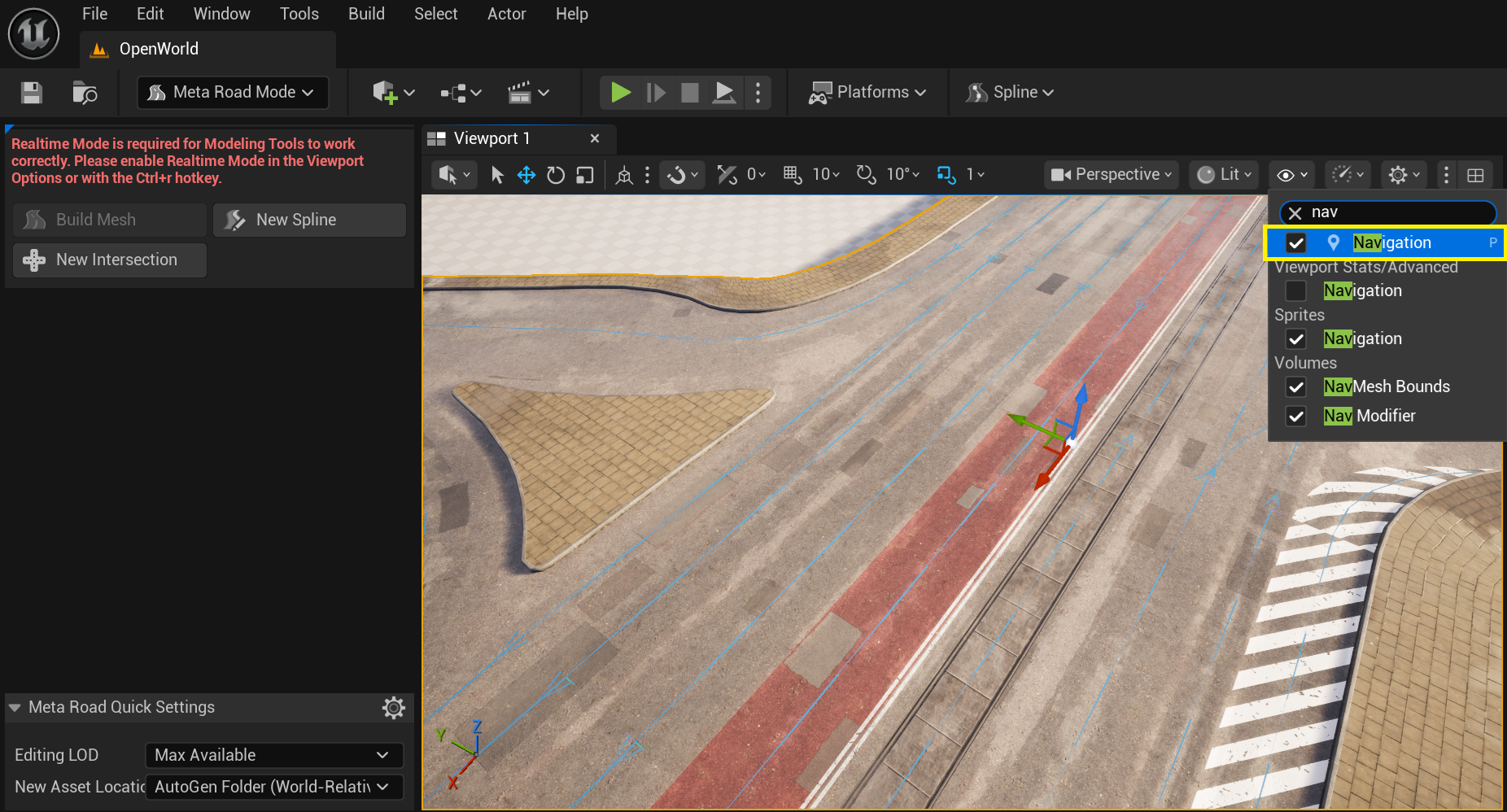
It is convenient to view the visualization of the constructed ZoneGraphData by activating the Navigation flag:
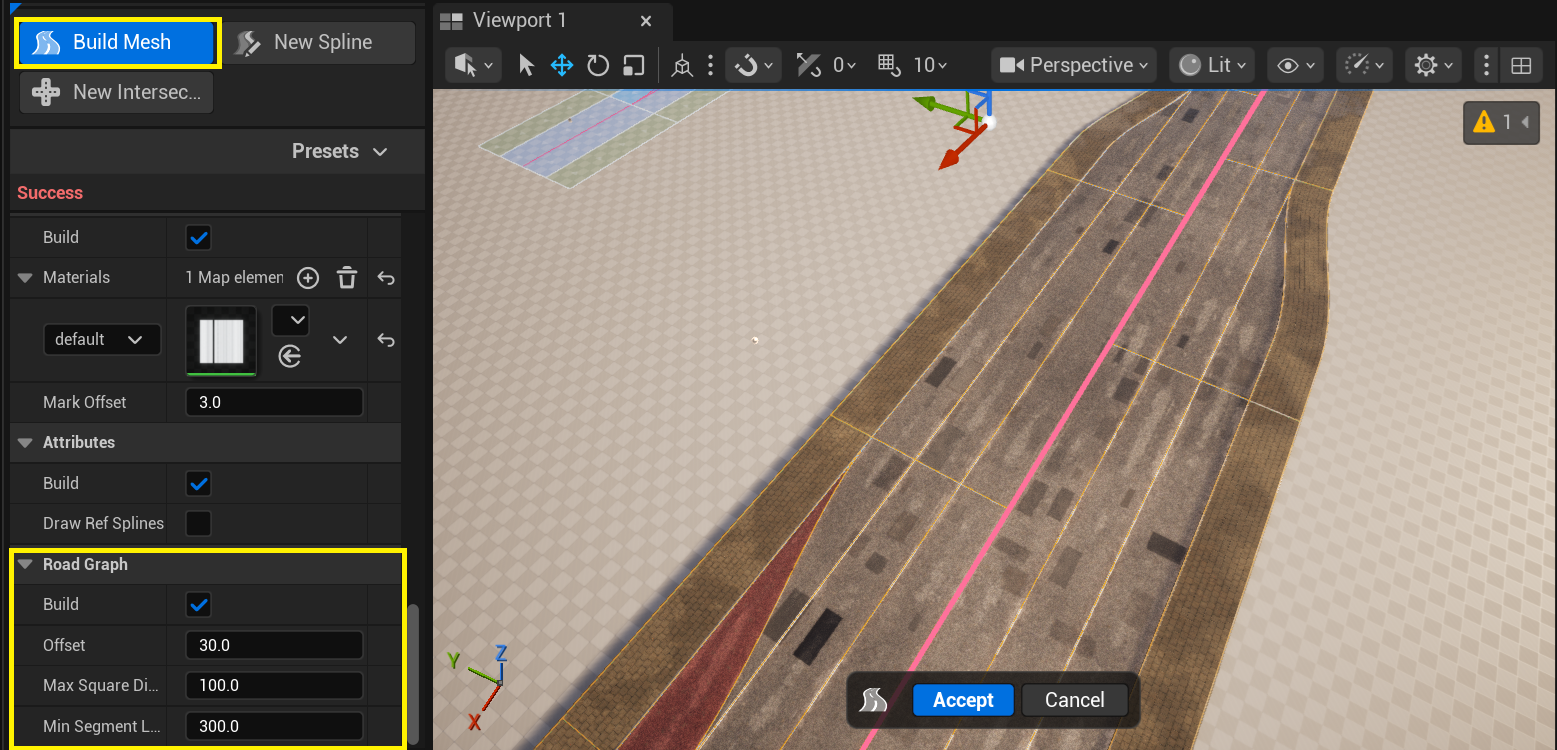
ZoneGraphData is not built for URoadSplineComponent. ZoneGraphData will only be built for actors that have a URoadGraphDataComponent component:
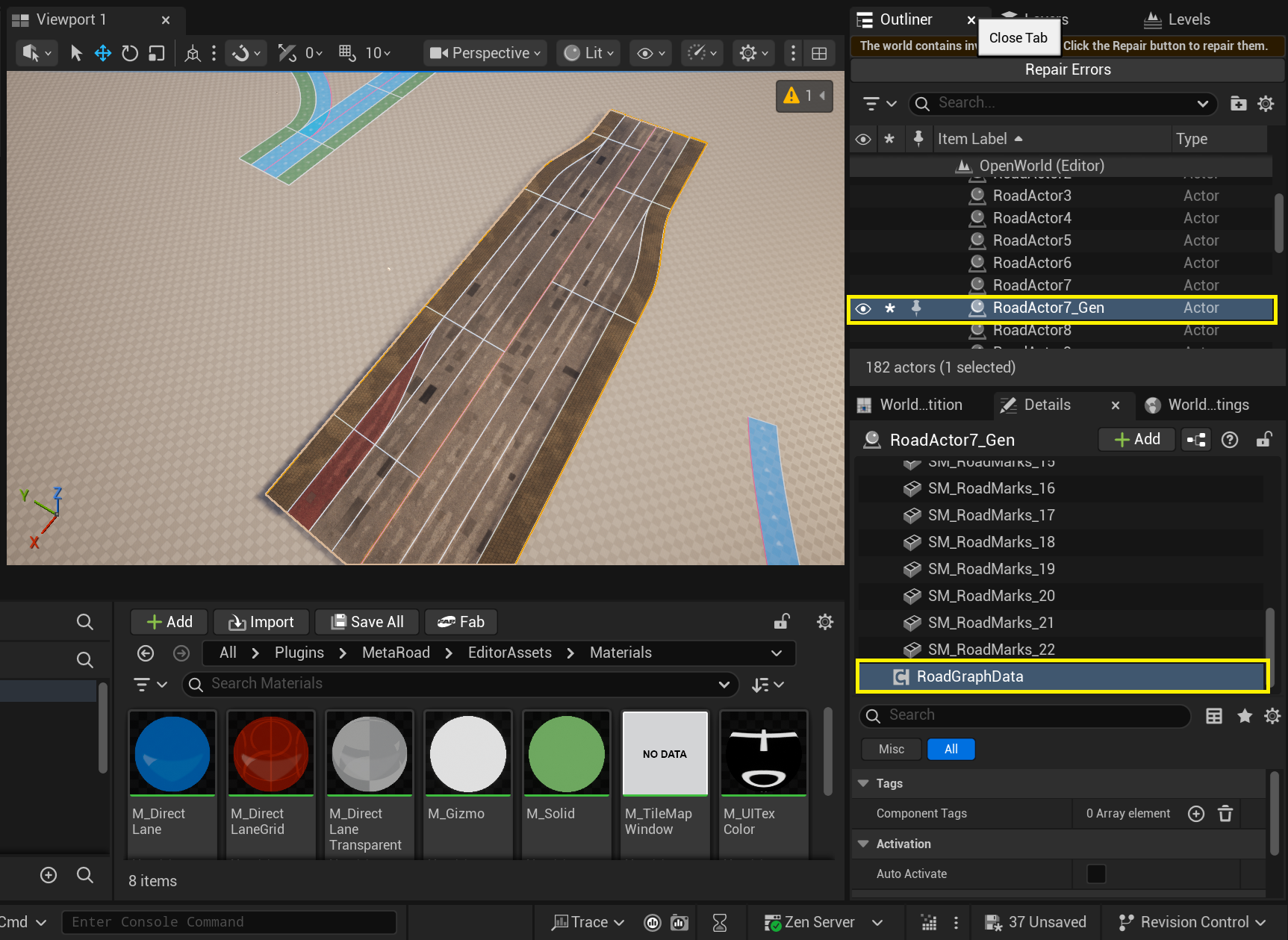
URoadGraphDataComponent is generated during baking and contains the data needed to generate road graphs (including ZoneGraph):
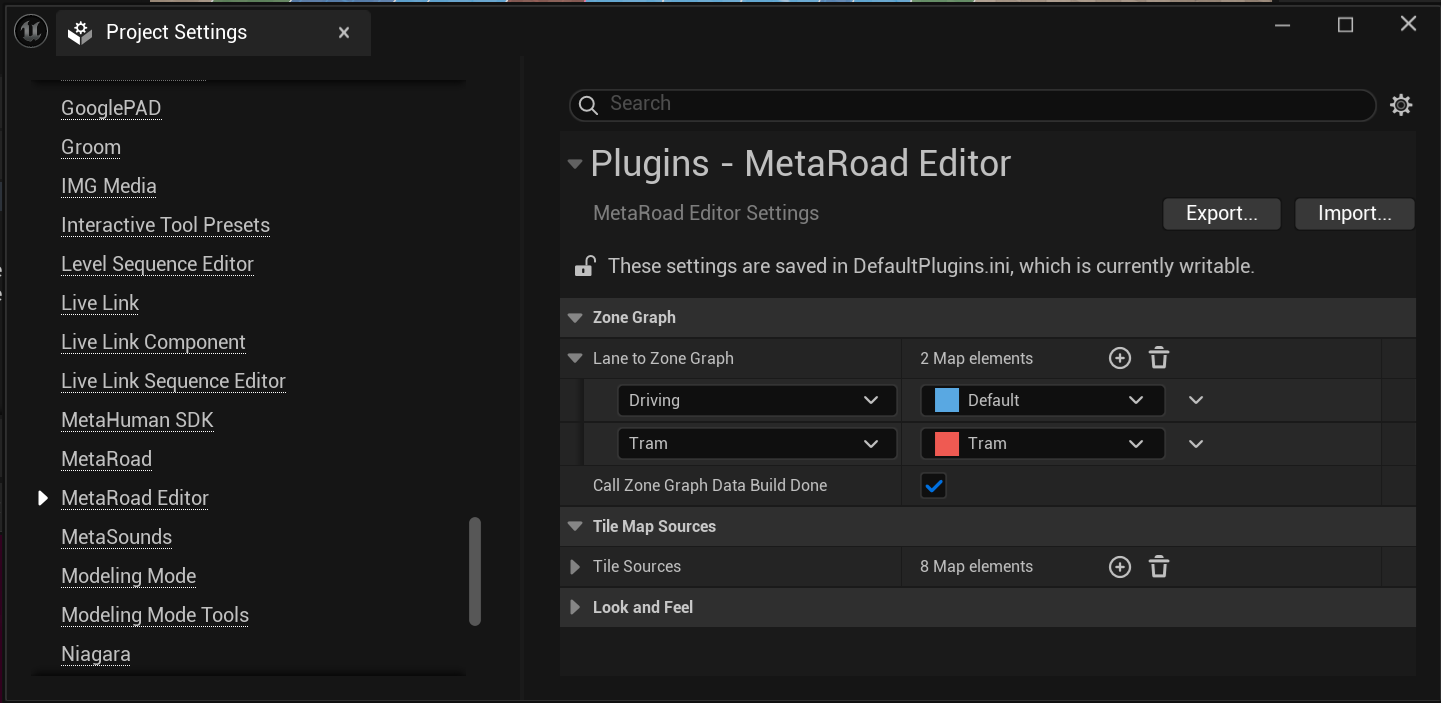
In Edit -> Project Settings -> MetaRoad Editor you can specify Road Lane Types and Zone Graph Tags to select for which types of road lanes ZoneGraphData should be generated:
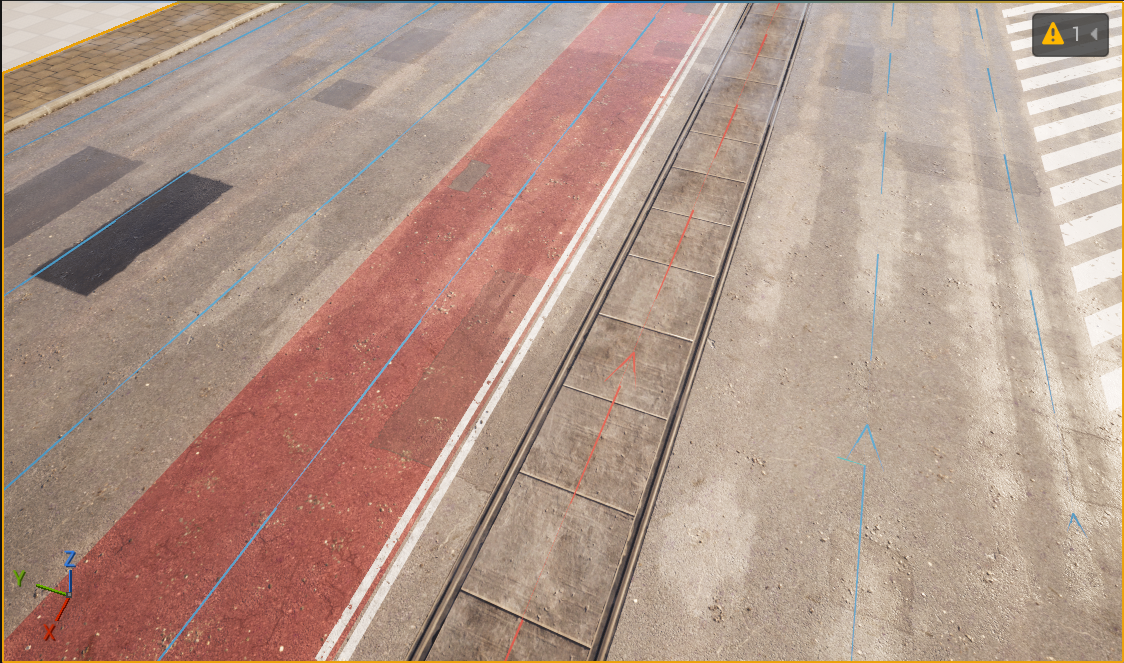
The example below shows that a ZoneGraph section with Tag = Tram was generated for the tram lane: