Intersections and Junctions
MetaRoad does not have special types or classes that could be responsible for creating intersections or junctions. Instead, MetaRoad offers the ability to link multiple URoadSplineComponent together. In turn, a group of linked URoadSplineComponent can naturally represent an intersection or junctions.
Note
Connections vs. grouping. Connections (this page) wire the lane graph — which lane flows into which — and drive
traffic and ZoneGraph. That is a different thing from spline grouping, which decides which splines bake into one
seamless mesh (see Bake: spline grouping). A real junction needs both:
connect the lanes here, and keep the junction’s splines in one actor + SubGroup so they bake as a single surface.
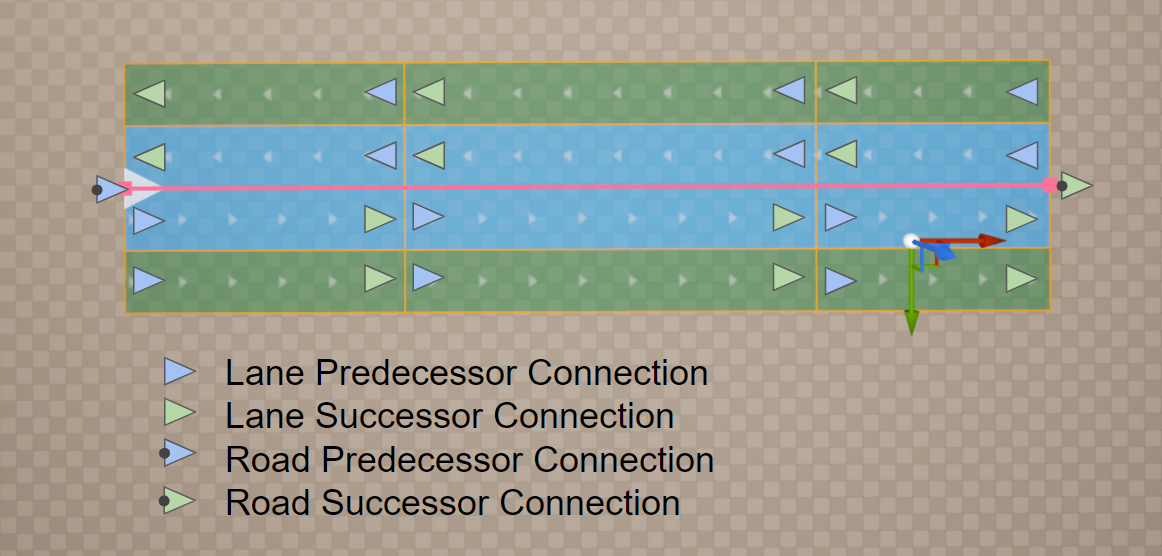
As mentioned earlier, each Road Lane has a direction. Along this direction, there is a Lane Predecessor Connection at the beginning and a Lane Successor Connection at the end. Similarly, each URoadSplineComponent spline also has a direction, a beginning, and an end. These beginnings and ends are a Road Predecessor Connection and Road Successor Connection.
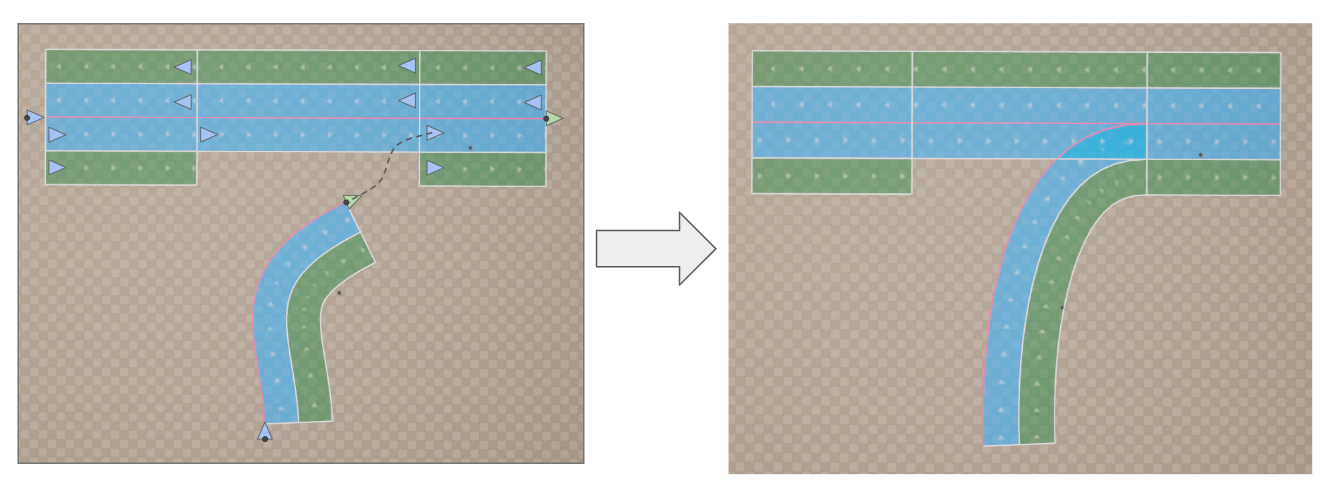
There are only two rules for linking:
Road Successor Connection -> Lane Predecessor Connection (one-to-many connection)
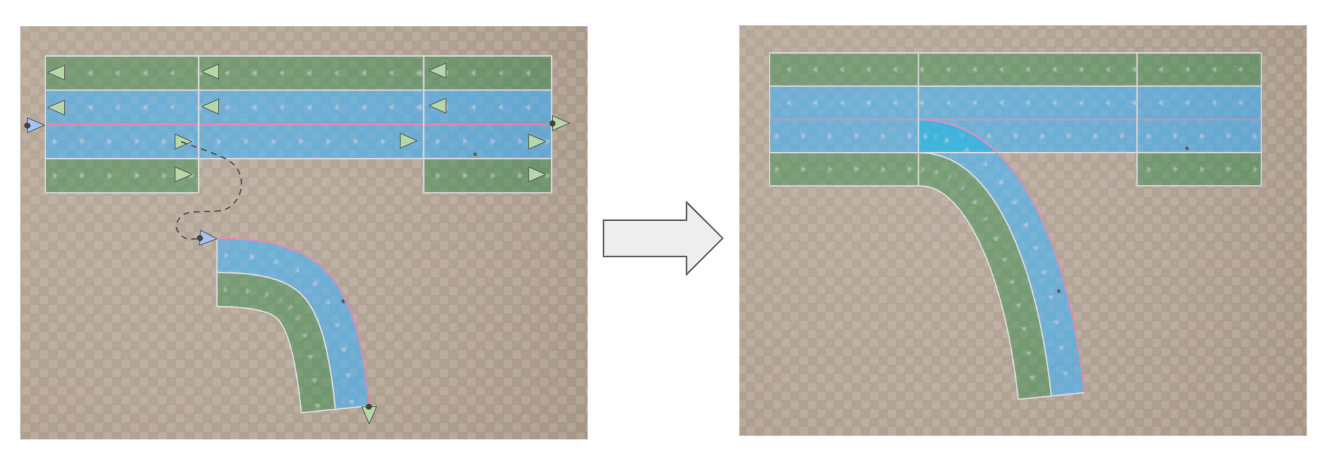
Road Predecessor Connection -> Lane Successor Connection (one-to-many connection)
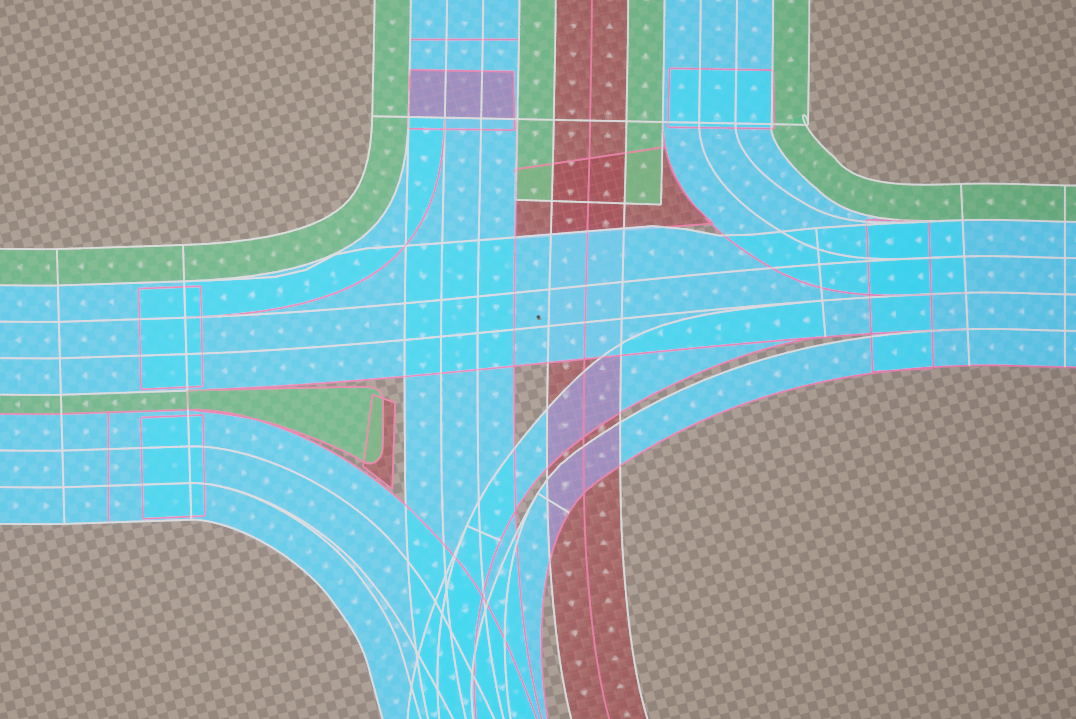
These two rules are sufficient to model any intersections or interchanges, even the most complex ones.
See also
Bake: spline grouping — keep a junction’s splines in one actor +
SubGroupso they bake seamlessly.Intersection Tool (Pro) — generate and wire a junction from road ends automatically.
Build a T-Junction Manually — a hands-on walkthrough.